
Decision Audit Trail: How to Record Who Agreed What in Meetings

Sarah Johnson
Writes about field sales, meeting notes and voice-first workflows at ParrotNotes. Every article is reviewed by the ParrotNotes product team before it goes live.
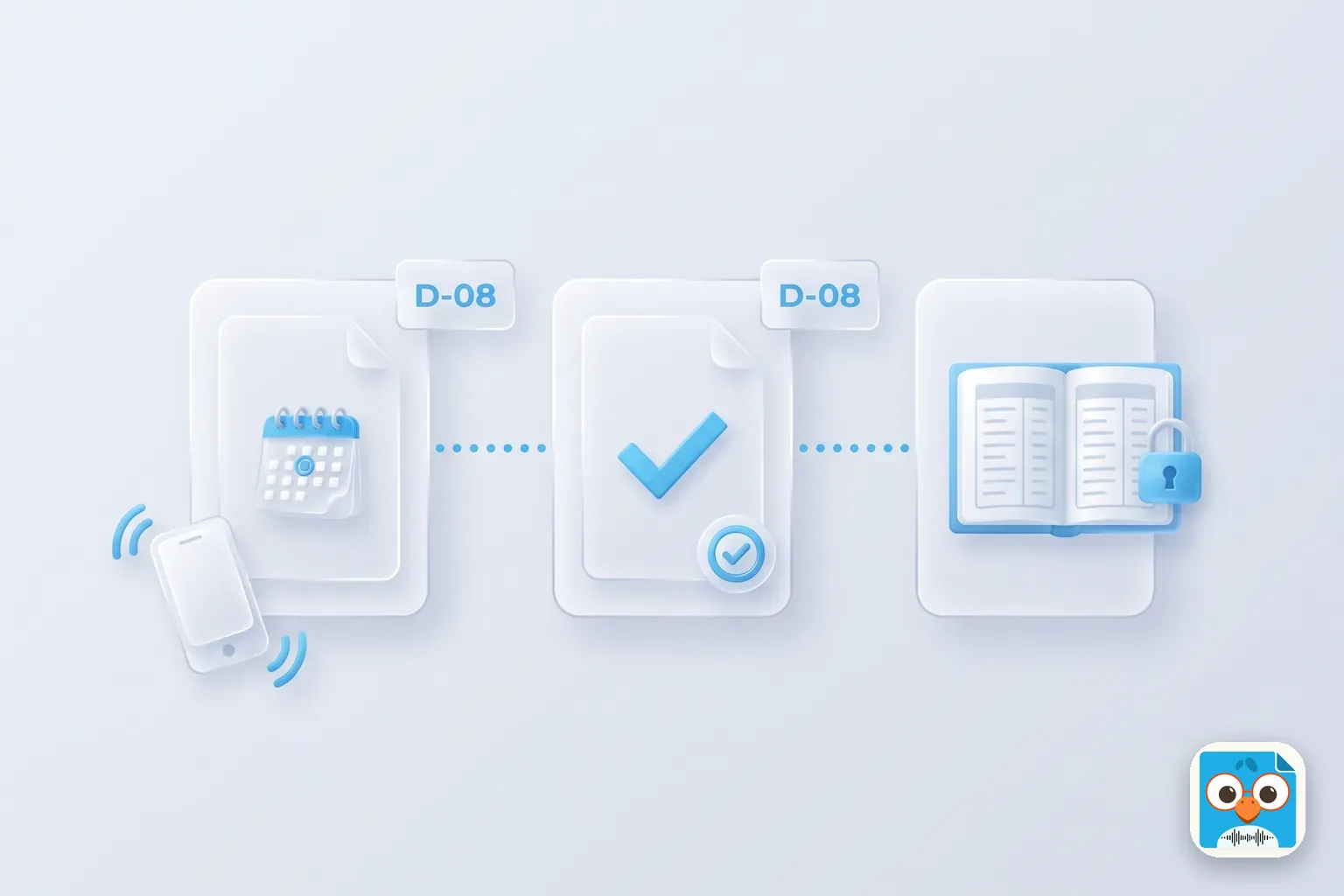
Table of Contents
- 1.What a decision audit trail is
- 2.The seven records in a decision audit trail
- 3.How to record who agreed what in the meeting
- 4.A decision audit trail across three meetings
- 5.Sign-off, changes and superseded decisions
- 6.Record the working group on an iPhone, Android phone or Mac
- 7.Check your decision audit trail: five questions
- 8.Start the trail at your next working group
The email from the funder's monitoring officer was short: "Please show us where the working group approved moving $40,000 from training to equipment." The meeting had been in March. It was now November.
Priya, the programme coordinator, knew the money had moved. She remembered the call. What she couldn't find was the page that said who agreed, on what basis, and what happened next. (Priya is a composite, not a real person.)
That missing page is a decision audit trail. Here's the short answer to keeping one: give every decision an ID, write it as one full sentence that names who decided and why, and carry the same ID into every record that follows, from the minutes to the decision log, the action log, the sign-off and the document that changed.
This guide is for the coordinator who keeps the record for a weekly working group, steering committee or governance meeting. You'll get the seven records a trail needs, a wording template for the decision itself, and one decision followed through three meetings. If your group meets in a room, you can also record the meeting with ParrotNotes on an iPhone or Android phone, with everyone's agreement, so the trail starts from what was actually said.
This is general information, not legal or compliance advice. Your regulator, funder and records policy come first.
What a decision audit trail is
A decision audit trail is the chain of dated records that lets someone who wasn't in the room reconstruct a decision: who made it, what exactly was agreed, when, on what information, and what happened next. Each record carries the same decision ID, so a reader can walk from the question to the proof without asking anyone.
The idea comes from systems security. The U.S. National Institute of Standards and Technology (NIST) defines an audit trail as "a chronological record of system activities that is sufficient to enable the reconstruction and examination of the sequence of events and activities" behind an operation or event (NIST glossary, read November 28, 2026). Swap "system activities" for "meeting decisions" and you have the coordinator's version.
Accountants and software teams use the term for their own trails, from receipts to ledgers and from user actions to audit logs. Researchers use it for the record of how they reached their findings, which our guide to the audit trail in qualitative research covers. This article is about decisions made by people in meetings.
The seven records in a decision audit trail
No single document proves a decision. Minutes don't show whether anyone acted, and a decision log doesn't hold the words behind it. The trail is the set, linked by IDs.
| Record | What it proves | Example entry |
|---|---|---|
| Agenda and papers | What the group was asked to decide, and what it read first | "Item 3 (decision): renew data vendor contract, paper 3a v2, sent Sept 12" |
| Recording or transcript | The exact words, if everyone agreed to be recorded | "Chair: 'So we're agreed, renew for 12 months, subject to the security review'" |
| Minutes | The group's approved account of the meeting | "D-08 APPROVED with condition C1. Objection: R. Haugen (noted)" |
| Decision log | Every decision in one place, across many meetings | "D-08, Sept 16, renew vendor 12 months, working group, Active" |
| Action log | That the decision was carried out | "A-21, sign renewal, M. Osei, due Sept 26, Closed Sept 24" |
| Sign-off record | That the person with authority approved it | "Chief risk officer approved D-08 by email, Sept 19, filed under D-08" |
| Version history | How the final document changed, and when | "Vendor register v5, Sept 24: renewal date updated per D-08" |
Our decision log template and action items template give you ready layouts for the two logs. If your group also tracks risks, a RAID log or the free risk register template slots into the same trail, with the decision ID in a comment column.
Version history is often already there. In Google Docs, open the file and click "Last edit" at the top right, then use "Name this version" to label one, such as "approved per D-08" (Google Docs Help). In Microsoft 365, "click the title of your file and select Version history," which "only works for files stored in OneDrive or SharePoint in Microsoft 365" (Microsoft Support). Both steps were checked as of November 2026.
How to record who agreed what in the meeting
Most broken trails break in the room. The decision gets made in a rush at minute 55, someone says "fine, let's do that", and the minutes later read "agreed to proceed". Proceed with what? Who agreed?
Three habits fix most of it.
1. Read the decision back before moving on. The chair, or you, says the decision as one sentence and waits for a yes. It takes 30 seconds. It's also the sentence a recording will hold if anyone disputes it later.
2. Write the decision as a full sentence, with a fixed shape. Copy this into your minutes template:
D-[number]: The [group] agreed to [what exactly], because [reason],
subject to [condition, or "no conditions"].
Decided by: [group, chair or named role]. Quorum: [n] of [m].
Objections or abstentions: [names, or "none"].
Owner: [name], by [date]. Needs sign-off from: [role, or "none"].
Source: [agenda item, paper and version].
3. Name the decider, not only the meeting. "The working group" is fine when the group has the authority. When it only recommends, say so ("recommended to the steering committee"), and log where it went. A recommendation logged as a decision is the most common gap a reviewer finds.
Record dissent plainly. "R. Haugen asked for the security review first; agreed as condition C1" is better than leaving it out, because it shows the group heard the challenge and answered it.
A decision audit trail across three meetings
One decision rarely happens in one meeting. Here's a composite example: a vendor risk working group at a mid-sized credit union, meeting weekly online. The people and figures are invented, and every record carries the same IDs.
DECISION D-08: Renew the data vendor contract for 12 months

MEETING 1, Sept 9 (working group, 6 of 7 present)
  AGENDA     Item 3 (decision): renewal, paper 3a v1.
  MINUTES    Deferred. Reason: no current security review.
             A-17: M. Osei to request the vendor's security
             report, due Sept 15.
  ACTION LOG A-17 open.

MEETING 2, Sept 16 (5 of 7 present, quorum 4)
  AGENDA     Item 3 (decision): renewal, paper 3a v2 with the
             security report, sent Sept 12.
  RECORDING  Recorded with all members' agreement (noted at item 1).
             Chair reads back: "Renew for 12 months, subject to
             the vendor fixing finding 4 within 60 days."
  MINUTES    D-08 APPROVED with condition C1 (finding 4 fixed
             by Nov 15). Objection: R. Haugen, wanted 6 months.
             Needs sign-off: chief risk officer.
  DECISION   D-08 | Sept 16 | Renew 12 months, C1 | Working group,
  LOG        5 of 7 | Status: Pending sign-off
  ACTION LOG A-17 closed Sept 12 (report filed). A-21: M. Osei to
             sign renewal after sign-off, due Sept 26.
  SIGN-OFF   Chief risk officer approved by email Sept 19. Email
             filed under D-08. Log status: Active.
  VERSION    Vendor register v5, Sept 24: renewal to Sept 2027,
             named "per D-08". A-21 closed Sept 24.

MEETING 3, Sept 30 (6 of 7 present)
  MINUTES    Minutes of Sept 16 approved without changes.
             Vendor says finding 4 needs 90 days, not 60.
             D-11 APPROVED: condition C1 moved to Dec 15.
             D-11 supersedes the condition in D-08.
  DECISION   D-08 status: Active, C1 superseded by D-11.
  LOG        D-11 | Sept 30 | Move C1 to Dec 15 | Working group
  ACTION LOG A-26: K. Lindqvist to check finding 4 on Dec 15.
Now picture the auditor's question in March: "Who approved renewing this vendor while a security finding was open?" The coordinator sends one line: "D-08 and D-11 in the decision log; minutes of Sept 16 item 3 and Sept 30; sign-off email filed under D-08."
Each record carries something the others can't. Meeting 1's minutes show the group didn't rubber-stamp the renewal, and the recording shows the condition was said out loud.
The sign-off shows the person with authority approved it. And D-11 shows the change was decided, not edited in quietly.
Running a weekly working group like this one? Try ParrotNotes free and keep the read-back in a searchable transcript under your minutes.
Sign-off, changes and superseded decisions
Most decision trails go wrong where that example's last two meetings went: conditions, senior approval and later changes. Each needs its own entry.
- Sign-off is a record, not a feeling. If a decision needs approval from a named role, log it as "Pending sign-off" until it arrives, then file the approval (email, signed minutes, portal entry) under the decision ID.
- Never overwrite; add. When a decision changes, log a new one (D-11 supersedes D-08's condition) and mark the old entry. A federal rule for electronic records in FDA-regulated work, 21 CFR 11.10(e), puts it well: "Record changes shall not obscure previously recorded information" (21 CFR 11.10, read November 28, 2026). That rule covers computer systems, but the principle fits any log.
- Approve the minutes, and note when. Approval of the minutes at the next meeting turns your draft into the group's record. Meeting 3 above shows it in one line.
- Ask about retention. The same FDA rule asks for audit trail documentation to be kept at least as long as the records it covers. Your own period depends on your regulator, funder and records schedule, so ask your records or legal team.
For the agenda and minutes of specific meetings, see our governance meeting template and the compliance meeting guide, which shows a filled-in set. Decisions that belong to a sponsor go to the steering committee meeting, and the referral goes in your log.
Record the working group on an iPhone, Android phone or Mac
A recording or transcript is the evidence under the minutes: the exact words when someone says, months later, "I never agreed to that." It doesn't replace the minutes, and it comes with its own rules.
- Check your policy first. Many regulated organizations have rules on recording meetings and on personal apps.
- Get consent. Say you're recording at the start and note everyone's agreement in the minutes. Recording laws differ by state and country; our overview of one-party consent states covers the U.S. basics. Never record anyone secretly.
- Treat the recording as a record. Agree who holds it and when it's deleted, for example once the minutes are approved, if your policy allows that.
Here's where ParrotNotes fits. It records on an iPhone, an Android phone or a Mac, then gives you a transcript and an AI summary. AI-powered recordings also pull out action items, and keyword search finds the read-back sentence in seconds. You can ask the AI chat "what did we decide about the vendor renewal?" on any plan.
It doesn't join Teams or Zoom as a bot. For an online working group, use the platform's own recording (see how to record a Teams meeting) and, if the organizer shares the file and your policy allows it, import it.
Privacy comes first in this job. As of November 2026, the ParrotNotes security page says transcriptions are stored on Amazon Web Services with server-side encryption, and data in transit is encrypted with TLS. AI features run through OpenAI's API with transcript text only, and that data isn't used to train AI models. The page states GDPR compliance and names no other certification for ParrotNotes itself, so check it against what your organization requires.
The Free plan includes 100 minutes of recording a month, up to 30 minutes per recording, an AI summary on every recording, 5 AI-powered recordings a month and 3 audio or video imports a month. On Free, audio files are deleted after 30 days while the transcript and notes stay. On either plan you can delete the audio yourself and keep the transcript, which suits a trail where the approved minutes become the lasting record.
Pro costs $19.99 a month, or $14.99 a month billed annually, with 3,000 minutes a month, recordings up to 3 hours and speaker identification (per the pricing page, November 2026). A 60-minute working group in one recording needs Pro.
Check your decision audit trail: five questions
Tomás coordinates a regional transport programme's risk working group. When a new director asked why a project's risk rating had dropped from high to medium, he found the change in the risk register's version history, but no decision behind it. Someone had edited the rating between meetings.
He reversed it, logged the gap, and from then on a rating change needed a decision ID in the comment column. (Tomás is a composite, not a real person.)
Run the same test yourself. Pick one decision from three months ago and answer these from your records alone, without asking anyone:
- Who decided it, did they have the authority, and was there a quorum?
- What exactly was agreed, in words you could read aloud?
- When, and on which version of the papers?
- Why, including any objection raised and how it was answered?
- What happened next: who signed off, who acted, and where's the proof?
If any answer needs someone's memory, that's the gap to close at your next meeting.
Start the trail at your next working group
A decision audit trail is the path from a question back to its answer. You don't need decision software for it: an ID, a decision sentence with a fixed shape, and the habit of carrying that ID into every record that follows.
Start small. At your next working group, read each decision back, write it with the template above and give it an ID. Afterwards, update the decision log and action log with the same ID. Then run the five-question check on one old decision and close the gap you find.
Priya's November email would have taken one line to answer. If your group agrees to be recorded, get ParrotNotes free so the exact words sit underneath your minutes from the next meeting on.
Frequently Asked Questions
What is a decision audit trail?
A decision audit trail is the chain of dated records that shows who made a decision, what exactly was agreed, when, on what information, and what happened next. The agenda, minutes, decision log, action log, sign-off and changed documents all carry the same decision ID, so anyone can follow it without asking.
What should a meeting audit trail include?
The agenda and papers, the approved minutes with attendance, quorum and the reason for each decision, a decision log, an action log with owners and evidence of closing, any sign-off from the person with authority, the version history of documents the decision changed and, if everyone agreed to it, the recording or transcript.
How do you record who agreed to a decision in meeting minutes?
Read the decision back as one sentence before moving on, then write it with a fixed shape: the decision, the reason, any condition, who decided and whether there was a quorum, objections or abstentions by name, the owner and due date, and who still has to sign off.
Are meeting minutes enough for an audit trail?
Minutes are the core of the trail, but on their own they rarely show what happened after the meeting. Link them to a decision log, an action log, the sign-off and the version history of the documents that changed, using the same decision IDs.
How do you change a decision that's already in the log?
Don't edit the old entry. Log a new decision that says what it changes (for example, "D-11 supersedes the condition in D-08") and mark the old entry as superseded, so a reader can see both and the reason for the change.
Can I record a working group meeting for the audit trail?
Only with everyone's agreement and within your organization's policy. Say you're recording at the start, note the consent in the minutes, and agree who holds the recording and when it's deleted. Recording laws differ by place; this is general information, not legal advice.
Related Posts

Safety Stand-Down Meeting: What It Is and How to Run One
What a safety stand-down meeting is, a 45-minute agenda, and a stand-down record with sign-in and actions to copy. OSHA dates checked. Try ParrotNotes free.
Quality Meeting Agenda and Minutes for Manufacturing Teams
Run a weekly quality meeting in 45 minutes: an agenda for scrap, NCRs and CAPA status, a minutes template, and two weeks of sample minutes you can copy.

Grant Report Template: Format, Sample and What Funders Check
Copy a grant report template, see a filled-in sample report with a budget table, and check what funders like Mott and Fry ask for. Try ParrotNotes free.