
Podcast Transcript Format: Example and Template

Sarah Johnson
Writes about field sales, meeting notes and voice-first workflows at ParrotNotes. Every article is reviewed by the ParrotNotes product team before it goes live.
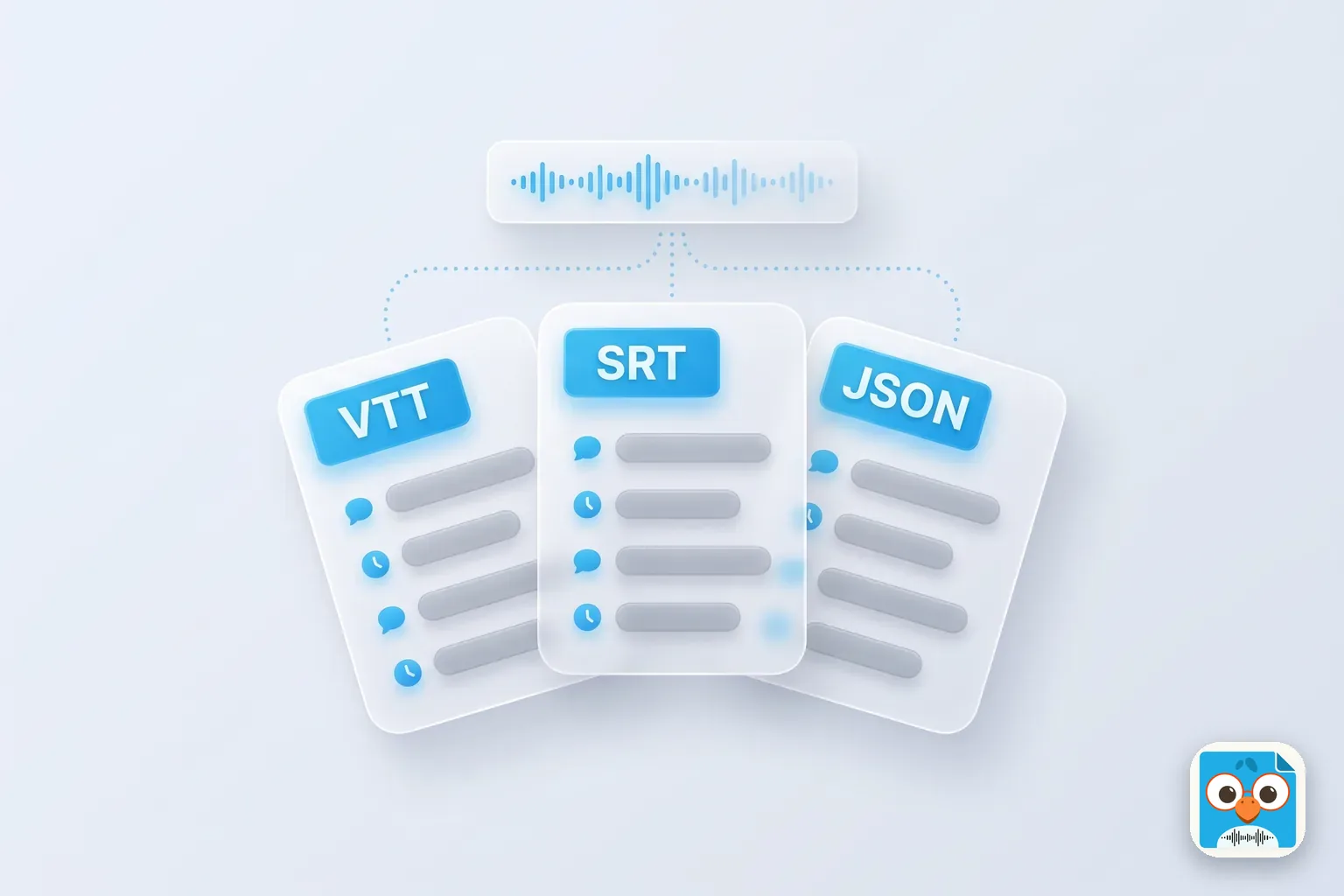
Table of Contents
Ana's interview episode went out on Monday. By Wednesday, three people had asked her for "the transcript".
The guest wanted something he could mark up before he quoted himself. Her web editor wanted text for the episode page. Her hosting platform wanted a file that Apple Podcasts and Spotify could sync to the audio. (Ana is a fictional producer, but the three requests are real ones every show gets.)
Same words, three different files. That's the part most guides skip.
This guide is about podcast transcript format: what the finished text should look like, and which file each place needs. You'll see one short exchange from a fictional show laid out five ways: as an episode page, as a review table, and as WebVTT, SRT and JSON files. There's also a rules table, a format picker, and a copy-ready episode page template. If you need the steps from audio to finished transcript, our podcast transcription guide covers that workflow; this post starts where the corrected text is ready.
What a podcast transcript format includes
A podcast transcript format is the layout that turns an episode's words into readable text: a header with the show, episode and guest, named speaker labels, timestamps, tags for sounds that matter, and a paragraph break at every change of speaker. The same content then goes into different containers: a web page, a document, or a caption file the podcast apps read.
Six parts make up every good podcast transcript format:
- Header: show name, episode number and title, date, running time, host and guest with their roles
- Speaker labels: real names, the full name once and then a consistent short form
- Timestamps: at each speaker turn on the page, or on every caption in a file
- Non-speech tags: [laughs], [music], [crosstalk], only where they change the meaning
- Paragraphs: a new one at every change of speaker, and in long answers every four or five sentences
- A style note: one line saying it's clean verbatim and when names and figures were checked
Show notes are a different thing. They're the short summary that sells the episode, and our podcast show notes template covers them. The transcript is every word.
Podcast transcript format rules
The W3C's guidance on transcripts is honest about this: "There is not a set design for transcripts." So pick rules once and use them on every episode. Here's a house style that works for most interview shows.
| Element | Rule | Example |
|---|---|---|
| Speaker labels | Full name in the header, first name in the text, bold on a web page | Daniel: |
| Timestamps on a page | [MM:SS], or [HH:MM:SS] for episodes over an hour, at each turn | [14:02] |
| Timestamps in a VTT file | HH:MM:SS.mmm, with a full stop before the milliseconds | 00:14:02.000 |
| Timestamps in an SRT file | HH:MM:SS,mmm, with a comma before the milliseconds | 00:14:02,000 |
| Sounds | Square brackets, lowercase, only when they change the meaning | [laughs] |
| Unclear words | Mark the spot with a time so it can be checked | [inaudible 22:41] |
| Ads | A marker, not the read, unless the sponsor pays for the words | [Sponsor message] |
| Style | Clean verbatim: every meaningful word, no "um" or false starts |
Not sure which style to use? Our guide to verbatim vs clean verbatim compares them with the same passage. For a full house rule sheet, see our transcription guidelines.
Want the first draft before you've left the studio? ParrotNotes records the interview on your phone and gives you the transcript when you stop. Try ParrotNotes free on your next episode.
One exchange, five podcast transcript formats
Here's a 15-second moment from The Night Desk, a fictional show about local news. Host Ana Ruiz is talking to reporter Daniel Okafor about a council story. The words stay the same in every example below. Only the container changes.
1. The episode page (what readers see)
This is the podcast transcript example most people picture: plain text, a time at each turn, and the speaker named first (in bold on the live page).
[14:02] Ana: How did you get the council documents?

[14:04] Daniel: A records request. It took 41 days, and the first batch came back almost entirely redacted. [laughs]

[14:10] Ana: So what did you do?

[14:12] Daniel: Filed an appeal the same afternoon. The second batch is where the story was.
The Podcast Index transcript spec also defines an HTML version of this for your RSS feed. It uses <cite> for the speaker, <time> for the start time and <p> for the words, and calls it "low-fidelity": an accessibility aid and searchable text, not something that syncs to the audio.
<cite>Ana Ruiz:</cite>
<time>14:02</time>
<p>How did you get the council documents?</p>
<cite>Daniel Okafor:</cite>
<time>14:04</time>
<p>A records request. It took 41 days, and the first batch came back almost entirely redacted. [laughs]</p>
2. The review table (for the guest or the producer)
Guests don't want a caption file. They want something they can comment on. A three-column table in Word or Google Docs does the job. It's also the layout most people mean when they look for a podcast transcript format in Word.
| Time | Speaker | What was said |
|---|---|---|
| 14:02 | Ana Ruiz | How did you get the council documents? |
| 14:04 | Daniel Okafor | A records request. It took 41 days, and the first batch came back almost entirely redacted. [laughs] |
| 14:10 | Ana Ruiz | So what did you do? |
| 14:12 | Daniel Okafor | Filed an appeal the same afternoon. The second batch is where the story was. |
Add a fourth "Check" column if the guest should confirm names and figures. Comments then sit next to the exact line, with the time to find it in the audio.
3. WebVTT (the file Apple Podcasts and Spotify read)
A VTT file is a list of cues, each with a start and end time. Speaker names go in a voice tag, <v Name>, at the start of a cue when the speaker changes. Apple's transcripts page says "Providing a VTT file allows you to identify every speaker with each line."
WEBVTT

00:14:02.000 --> 00:14:04.500
<v Ana Ruiz>How did you get the council documents?

00:14:04.500 --> 00:14:09.800
<v Daniel Okafor>A records request. It took 41 days,
and the first batch came back almost entirely redacted.

00:14:09.800 --> 00:14:10.700
[laughs]

00:14:10.700 --> 00:14:12.000
<v Ana Ruiz>So what did you do?

00:14:12.000 --> 00:14:16.800
<v Daniel Okafor>Filed an appeal the same afternoon.
The second batch is where the story was.
The Podcast Index transcript spec recommends lines of 65 characters or fewer, and names WebVTT as the one to pick if you only support one format.
4. SRT (the older caption format)
SRT has numbered cues, a comma in the timestamps, and no voice tag. Speaker names go in the text, followed by a colon, when the speaker changes. The Podcast Index spec limits SRT captions to two lines of 32 characters, so the same exchange splits into shorter cues.
1
00:14:02,000 --> 00:14:04,500
Ana: How did you get
the council documents?

2
00:14:04,500 --> 00:14:06,600
Daniel: A records request.
It took 41 days,

3
00:14:06,600 --> 00:14:09,800
and the first batch came back
almost entirely redacted.

4
00:14:09,800 --> 00:14:10,700
[laughs]

5
00:14:10,700 --> 00:14:12,000
Ana: So what did you do?

6
00:14:12,000 --> 00:14:14,400
Daniel: Filed an appeal
the same afternoon.

7
00:14:14,400 --> 00:14:16,800
The second batch is
where the story was.
Already have one and need the other? The free SRT to VTT converter switches between them in your browser. If your corrected transcript is plain text with no timings, the TXT to SRT converter spreads it over the episode's length as a starting point; check the cue times against the audio before you upload.
5. JSON (Podcasting 2.0 apps)
The Podcast Index JSON format is a version and a list of segments, each with a speaker, a startTime and endTime in seconds, and the body text. 14:02 is 842 seconds into the episode. At its most detailed, one segment per word, it lets an app highlight each word as it's spoken.
{
  "version": "1.0.0",
  "segments": [
    { "speaker": "Ana Ruiz", "startTime": 842.0, "endTime": 844.5,
      "body": "How did you get the council documents?" },
    { "speaker": "Daniel Okafor", "startTime": 844.5, "endTime": 850.7,
      "body": "A records request. It took 41 days, and the first batch came back almost entirely redacted. [laughs]" },
    { "speaker": "Ana Ruiz", "startTime": 850.7, "endTime": 852.0,
      "body": "So what did you do?" },
    { "speaker": "Daniel Okafor", "startTime": 852.0, "endTime": 856.8,
      "body": "Filed an appeal the same afternoon. The second batch is where the story was." }
  ]
}
Most hosts never ask you for this file. It's worth knowing about if your host lets you attach several transcript files to an episode.
Which podcast transcript format goes where
Here's the picker, built from the Apple, Spotify and Podcast Index pages (checked October 27, 2026).
| Format | Where it goes | Speaker names | Timestamps | Accepted by |
|---|---|---|---|---|
| Episode page text | Your website, under the player | Bold labels | At each turn, optional | Readers, screen readers, search engines |
| Review table | Word or Google Docs | Column | Column | Guests, producers, editors |
| WebVTT (.vtt) | Your host (or Spotify for Creators), then the RSS feed | <v Name> voice tag | Required on every cue | Apple Podcasts, Spotify, web players |
| SRT (.srt) | Your host, then the RSS feed | "Name:" in the text | Required on every cue | Apple Podcasts, Spotify |
| JSON | The RSS feed | speaker field | Seconds on every segment | Apps that read the podcast:transcript tag |
Two platform rules to remember. Spotify's transcript help page says "Your transcript needs to be a VTT or SRT file," caps it at 5 MB, and warns: "Include timestamps, otherwise your transcript won't sync during playback." And if you switch on Spotify's auto-generated transcripts, your uploaded file is replaced.
In the feed, the podcast:transcript tag points to each file with its url and type (such as text/vtt or application/json). You can add one tag per format, and rel="captions" marks a file as closed captions. Most hosts write this tag for you.
Consider Marco, a fictional freelance producer. For a year he sent guests the same VTT file he uploaded to his host. Half of them replied asking what the arrows and numbers were.
He now sends the review table from the same corrected text, and the VTT goes only to the host. Guest corrections come back in a day instead of a week, because people can read what they're checking.
Podcast transcript template for your episode page
Copy this skeleton into your site's HTML editor, or rebuild it with your CMS's heading and paragraph blocks. It follows the W3C advice to put the transcript "right under" the media on the same page, with headings and links where they help.
<section id="transcript">
  <h2>Transcript: [Episode title]</h2>
  <p>[Show name], episode [number]. Published [date]. Running time [MM:SS].<br>
     Host: [Full name], [role]. Guest: [Full name], [role].<br>
     Clean verbatim, lightly edited. Names and figures checked against the audio on [date].</p>

  <h3>[00:00] Intro</h3>
  <p><strong>[Host]:</strong> [Words.]</p>
  <p><strong>[Guest]:</strong> [Words.]</p>

  <h3>[MM:SS] [Chapter title]</h3>
  <p><strong>[Host]:</strong> [Question.]</p>
  <p><strong>[Guest]:</strong> [Answer.] [laughs]</p>

  <h3>[MM:SS] [Sponsor message]</h3>

  <h3>[MM:SS] Outro</h3>
  <p><strong>[Host]:</strong> [Thanks, where to find the guest, next episode.]</p>
</section>
The chapter headings use the same times as your show notes, so a reader can jump between the two. For the full workflow and a plain-text version of this layout with a longer filled-in podcast transcript example, see the podcast transcription guide.
Accessibility checks for the page format
A transcript is how people who can't hear the audio get the episode. WCAG 2.2 Success Criterion 1.2.1 asks for an alternative to prerecorded audio that "presents equivalent information". Before you publish, check that the page format:
- Is real text on the page, not a PDF download or a screenshot
- Sits on the episode page, or one clear link away from the player
- Names every speaker, so a screen reader announces who is talking
- Marks sounds that carry meaning, such as laughter or music, in brackets
- Uses headings for chapters, so readers can jump with a keyboard or screen reader
- Keeps timestamps "only when useful", as the W3C puts it; one per turn is plenty
Then picture how Ana handles episode 42. She records the interview on her phone in ParrotNotes, corrects the draft against the audio, and exports it as text. From that single file she pastes the page version into the template, sends Daniel the review table, and builds a timed VTT copy for her host. One correction pass, three formats, all saying the same words.
Pick your podcast transcript format once
The words of an episode don't change, but the podcast transcript format does: bold names and occasional times for the page, a table for the guest, timed cues for the apps. Set your rules once (labels, timestamps, tags, clean verbatim), keep one corrected master, and produce each format from it.
Three takeaways:
- Page: named speakers, a time at each turn, chapter headings, right under the player
- People: a three-column table they can comment on
- Apps: VTT with voice tags, or SRT, with timestamps on every cue
If your interviews start on a phone, ParrotNotes gives you the transcript draft as soon as you stop recording, with a summary and key points, and exports it as text or markdown on the free plan. Download ParrotNotes free and have the master text for every podcast transcript format ready in minutes, not evenings. For interviews that aren't podcasts, our interview transcription examples show the same ideas for reporting and research.
Frequently Asked Questions
What is the best format for a podcast transcript?
For your website, plain text with bold speaker names and a timestamp at each turn, placed under the player. For Apple Podcasts and Spotify, a WebVTT file, because it carries speaker names in voice tags and timestamps on every cue. Keep one corrected master and produce both from it.
What file format does Apple Podcasts accept for transcripts?
Apple accepts VTT or SRT files, supplied through your RSS feed with the transcript tag or, for subscriber episodes, uploaded in Apple Podcasts Connect. A VTT file lets you name the speaker on each line. Apple says files that don't meet its quality standards won't be displayed.
How do I format a podcast transcript in Word or Google Docs?
Use a three-column table: time, speaker and what was said, one row per speaker turn. Put the show, episode, date and guest in a header above it. Add a fourth column if the guest should confirm names and figures.
Should a podcast transcript include timestamps?
Yes on the page, at each speaker turn or every few minutes, so readers can find the moment in the audio. In VTT and SRT files they're required: Spotify says a transcript without timestamps won't sync during playback.
Related Posts
Sales Ramp Time: How Long New Reps Take and How to Shorten It
Sales ramp time: how long new reps take to reach full productivity. Get 2026 benchmarks, the formula, a worked example and a six-month plan to shorten it.
Rev Transcription Review: Accuracy, Pricing and Turnaround
Rev transcription review from Rev's own pages, checked Oct 27, 2026: plans, per-minute prices, add-ons, accuracy and turnaround. Try ParrotNotes free.
Product Spec Sheet: Format, Example and What Buyers Look For
Copy a product spec sheet format, see a filled-in example, and learn what engineers, purchasing and quality check first. Free template and checklist inside.