
Granola AI Pricing: Free Tier, Paid Plans and Who Each Suits

Sarah Johnson
Writes about field sales, meeting notes and voice-first workflows at ParrotNotes. Every article is reviewed by the ParrotNotes product team before it goes live.
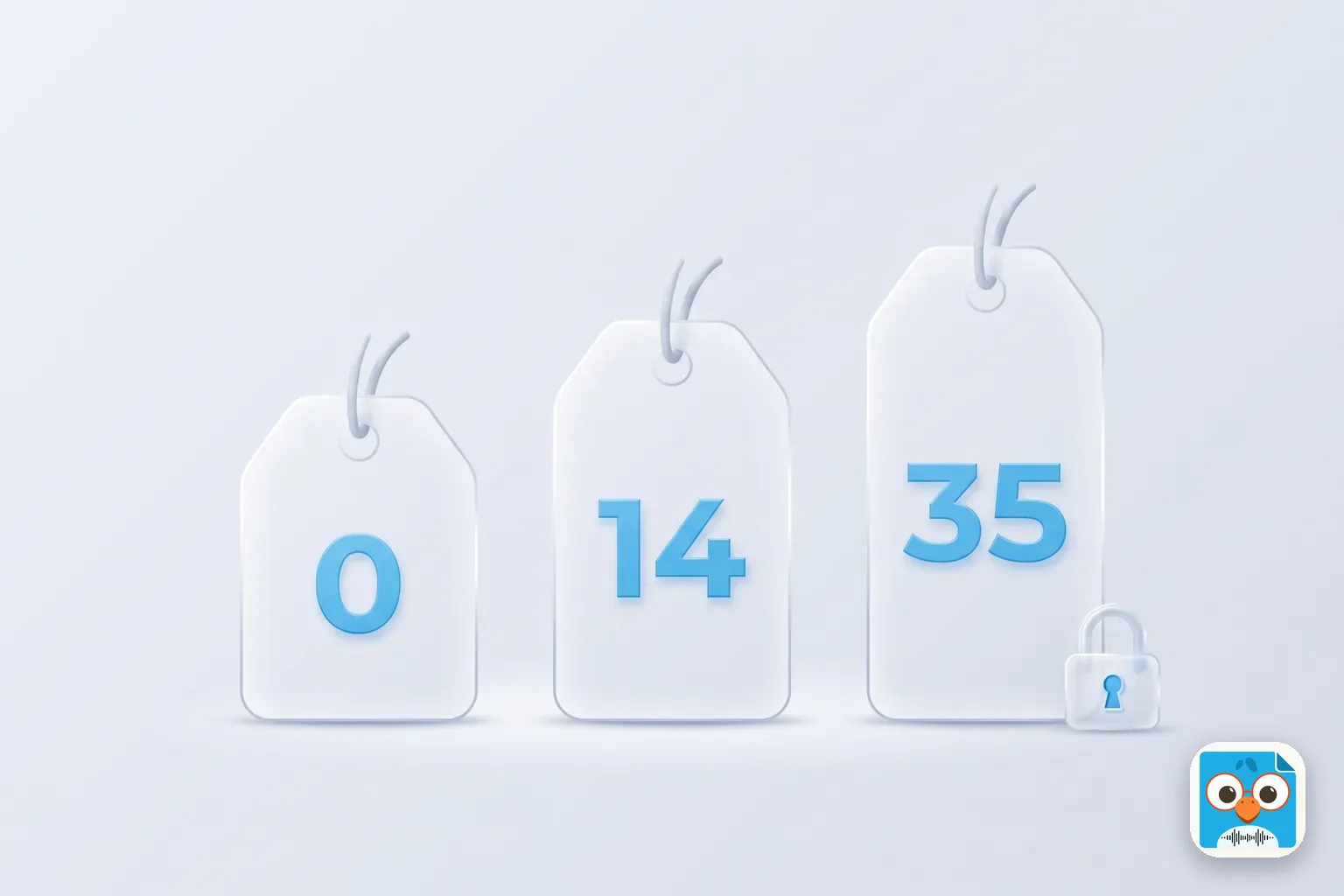
Table of Contents
- 1.How much does Granola AI cost?
- 2.Granola AI pricing plan by plan
- 3.How Granola bills: seats, workspaces and annual plans
- 4.What Granola does not publish (and what reviewers get wrong)
- 5.Desktop and mobile: what each platform can and can't do
- 6.Which Granola plan suits you? A plan picker
- 7.Granola AI pricing by meeting load: three worked examples
- 8.Granola vs ParrotNotes on price and fit
- 9.The bottom line on Granola AI pricing
Open three reviews of Granola's free plan and you'll find three different limits. One says 25 meetings for life, one says 25 notes, and one says "limited history" and leaves it there. Granola's own pricing page says something else again: 30 days.
That's the trouble with reading about Granola AI pricing second-hand. The plans are simple, three of them with three prices, but the limits changed while the reviews stayed put.
You want a plain answer to "what does Granola cost, and which plan do I need?" Here it is. Every Granola fact below comes from granola.ai/pricing or Granola's help centre, opened on 2026-09-23, with the page linked next to the claim. Where Granola doesn't publish a number, this article says so instead of guessing.
One disclosure first. ParrotNotes publishes this blog, and ParrotNotes is our app. It gets one section near the end, for readers who mostly meet in person or work in more than one language. Granola gets a fair reading everywhere else, in the same format as our Otter.ai pricing guide.
If you already know your meetings happen across a table rather than on a screen, you can try ParrotNotes free and come back for the numbers.
How much does Granola AI cost?
Granola has three plans, priced in USD per user per month. Basic is free, with unlimited meeting notes and 30 days of meeting history in the app. Business is $14 per user a month, with unlimited history, advanced AI models and integrations. Enterprise is $35 per user a month, with SSO, admin controls and org-wide policies (checked on 2026-09-23).
Here's the same thing as a table, with the limits that matter next to the prices.
| Plan | Price | Meeting history | AI chat | Integrations | Granola says it's for |
|---|---|---|---|---|---|
| Basic | $0 | 30 days in the app | "Auto only" | Slack | "Great for a free taste of Granola" |
| Business | $14 per user a month | Unlimited | Auto + model selection | Slack, Notion, Zapier, HubSpot, Attio, Affinity; API; MCP | "Great for individuals or small teams" |
| Enterprise | $35 per user a month | Unlimited | Auto + model selection | Everything in Business, plus Salesforce and admin controls | "Great for larger companies" |
Source: granola.ai/pricing, plan cards and compare table, read on 2026-09-23. The help centre's billing article lists Enterprise as "from $35/user/month".
Two things to notice straight away. There's no minute cap, no per-meeting cap and no meeting count on any plan; what you pay for is history, integrations and admin. And there's no annual toggle on the page: the prices are monthly, and annual billing is an Enterprise conversation.
Granola AI pricing plan by plan
Each plan builds on the one before it. Granola's cards say "Everything in Basic, plus" and "Everything included in Business". Here's what each step adds.
Basic: the free plan
Basic costs nothing, and Granola's homepage puts the deal in one line: "Unlimited meeting notes for free. Take as many notes as you'd like. Upgrade to view and work with notes older than 30 days."
According to the pricing page and the billing article, Basic gives you:
- AI meeting notes on every meeting, with no published cap on how many
- 30 days of meeting history in the app. Older notes are "stored (not deleted)" and come back when you upgrade. Titles and summaries for your full history can be exported as a CSV from Settings
- AI chat within and across meetings, with the model set to "Auto only"
- Shared folders, customized note templates and Recipes
- Multi-language support (the numbers are in the platforms section below)
- Slack integration. Notion, Zapier and the CRM integrations need Business
- MCP access to "personal notes from the last 30 days"
- The desktop, iOS, Android and Apple Watch apps, speaker tagging, and the option to opt out of model training
Basic is a real trial, not a demo. The 30-day window is the only wall, and it's the one that decides whether you pay.
Business: $14 per user a month
Business is $14 per user a month, billed monthly. Prices checked on 2026-09-23. For that you get everything in Basic, plus:
- Unlimited meeting notes and history. The 30-day window goes away
- Advanced AI thinking models, with model selection in chat
- Integrations with Notion, Zapier, HubSpot, Attio and Affinity, on top of Slack
- Pre-meeting briefs, follow-up emails and a workspace-wide dictionary, which the compare table marks "Not included" on Basic
- MCP access to personal and public workspace notes, and API access
- Centralized billing and user management
Business is the plan for anyone who wants to search a meeting from last quarter, or push notes into a CRM. There's no minimum seat count on the page.
Enterprise: $35 per user a month
Enterprise is listed at $35 per user a month on the pricing page, and "from $35" in the help centre. The enterprise page says "Talk to sales", so treat $35 as the starting point of a quote, not a checkout price.
Beyond Business, Enterprise adds single sign-on (SSO/SAML) and SCIM provisioning, admin controls for sharing, MCP, API and integrations, org-wide auto-deletion and transcript-retention policies, a workspace-wide model-training opt-out, usage analytics, an audit API, Salesforce, and dedicated support.
If your IT team's checklist has SSO on it, you're an Enterprise customer regardless of headcount. If it doesn't, Business covers everything a small team uses day to day.
How Granola bills: seats, workspaces and annual plans
The prices are simple. The billing rules are where teams get surprised, and they live in the help centre rather than on the pricing page. From Granola's subscriptions and billing and workspaces articles:
- Billing is per workspace, not per company. "A personal workspace can be on the free plan while your company workspace is on Business, or the other way around"
- One seat per active member. Everyone in a paid workspace is on the same plan, and "each new member adds a seat and increases the next bill (prorated)"
- Monthly billing on Basic and Business. "Annual billing is available on Enterprise contracts only." So $14 is $14 every month; there's no discounted yearly Business price to look for
- Cancelling keeps access "until the end of the current billing cycle", after which the workspace drops to Basic
- Promo codes are workspace-specific and can't move between workspaces
There are two ways to get Business free for a year. Granola's student program gives "12 months free" of Business to "currently enrolled students at accredited universities in the US, UK, and Canada". Its startup program gives "1 year free of Granola Business" to "startups with fewer than 30 employees who have raised a pre-seed or seed".
There's no free trial of Business as such. Granola's own pricing post treats the free plan as the trial: use Basic until the 30-day window bites, then decide.
What Granola does not publish (and what reviewers get wrong)
A pricing article should be as clear about the gaps as about the numbers. Here's what we could not find on any granola.ai page on 2026-09-23:
- A minute cap or meeting quota on any plan. The desktop app stops a note after "15 minutes passes without any new audio", and the mobile help says recordings of "roughly 10 hours or more" may fail to process, but those are technical notes, not plan limits
- An annual price for Business. Annual billing exists only on Enterprise contracts
- A minimum seat count for Business or Enterprise
- What "advanced AI thinking models" are, beyond model selection in chat
And here's what reviewers repeat that Granola's current pages don't say. Several third-party posts describe the free plan as "25 meetings for life" or a "25-note cap", and one lists an "$18 Individual plan". Neither appears on the pricing page or in the help centre today. If a review gives you a different limit, check the date on it.
Desktop and mobile: what each platform can and can't do
This is the section most Granola pricing posts skip. Granola runs on macOS, Windows, iOS, Android and Apple Watch, all on every plan, including Basic. But the desktop and phone apps do different jobs.
On desktop, Granola listens to "your system audio and microphone", which is how it takes notes on Zoom, Meet and Teams calls without a bot. The desktop transcription article says it "does not record or save audio or video at any point during the call", so there's no recording to replay afterwards. Speaker names come from Zoom on macOS and from Google Meet through a browser extension; otherwise you get "Me" and "Them".
On the phone, Granola records "from your phone's active microphone input" and is built to "capture conversations happening around you". The mobile guide is clear about the boundary: "Phones don't let apps capture audio from other apps, so Granola can't transcribe virtual meeting calls on mobile." Phone-call notes are "iOS only", through Granola's own dialer, and Granola Chat is "iPhone only". On Android, recordings under about five minutes may not generate notes.
On languages, Granola's multi-language article says it "supports 31 languages on desktop (macOS and Windows) and 17 languages on mobile (iOS and Android)". Desktop can switch between languages inside one meeting; on mobile, Granola "will analyze the transcript and choose a single language". There's no built-in translation, though you can ask the chat "to generate translations of quotes from the transcript".
Which Granola plan suits you? A plan picker
Nobody can pick your plan from a features list. You can pick it in five minutes from four questions, because Granola's plans don't meter minutes. Grab last quarter's calendar and answer honestly.
Question 1: How often do you go back to a meeting older than 30 days? Count the times last quarter you searched for something said more than a month ago: ______ times.
Question 2: Where do your notes need to end up? Circle any that apply: Slack only / Notion / HubSpot, Attio or Affinity / Salesforce / nowhere but Granola.
Question 3: How many people will share the workspace? Write it: ______ seats.
Question 4: Does IT require SSO, admin-enforced retention or an audit trail? Yes / No.
Now read the results, top to bottom, and stop at the first line that applies.
| If... | Then... |
|---|---|
| Question 4 is Yes, or you need Salesforce | Enterprise (from $35 per user a month, quoted by sales, annual billing available) |
| Question 2 includes Notion, Zapier or a CRM | Business ($14 per user a month) |
| Question 1 is more than zero | Business, because the first time you need a note from six weeks ago, you'll upgrade anyway |
| Question 3 is more than one and you want one bill | Business, for centralized billing |
| Everything else | Basic (free), and revisit this sheet when the 30-day window first catches you |
Then one multiplier: seats. Multiply the plan price by Question 3. Business for six people is $84 a month, not $14.
If you're comparing against a tool that meters differently, our Jamie AI note taker review explains credit-based plans, and the Otter guide above explains minute-based ones. Granola is the seat-based one: the only number that grows is the headcount. All prices checked on 2026-09-23.
Granola AI pricing by meeting load: three worked examples
Three fictional people, one picker each. The arithmetic uses Granola's published prices only, and "cost per meeting" is the seat price divided by that person's meetings in a month.
Lena: a solo consultant on video calls all day
Lena runs 40 client calls a month on Zoom and Meet, all from her laptop, and keeps her own notes in Notion. Every few weeks a client asks "what did we agree in the spring?"
- Question 1: three or four times a quarter
- Question 2: Notion
- Question 3: one seat
- Question 4: No
The Notion line alone puts Lena on Business, and so does Question 1. Her bill is $14 a month, or $168 a year, since there's no annual Business rate. Across 40 meetings that's 35 cents a meeting.
The nine-person product team
A fictional product team of nine takes about 25 meetings each a month, wants notes pushed into HubSpot, and wants one invoice. Their company has no SSO requirement.
- Question 1: constantly (roadmap decisions live in old meetings)
- Question 2: HubSpot, Slack
- Question 3: nine seats
- Question 4: No
Business again, at 9 × $14 = $126 a month, $1,512 a year, or 56 cents per person per meeting. If the tenth hire joins on the 15th, the seat is prorated on the next bill. If IT later mandates SSO, the same nine seats become at least 9 × $35 = $315 a month, and the conversation moves to sales.
Marta: a field rep who meets in person, in two languages
Marta makes five customer visits a day, four days a week, and none of them has a video link. Two visits a week are with a distributor whose team speaks Spanish and Portuguese, sometimes in the same meeting. After each visit she wants a spoken debrief turned into a summary, action items and a follow-up email, and she'd like to replay the audio of a site walk when a spec is disputed.
- Question 1: often (long deals)
- Question 2: her CRM, by copy and paste for now
- Question 3: one seat
- Question 4: No
On Granola, Marta's month happens entirely on the phone app. It will capture the room, and it's free on Basic, so the price isn't the issue. The shape is.
On mobile Granola picks one language per meeting, so her mixed Spanish and Portuguese visits are a coin toss. Audio is deleted after transcription on every plan, so there's no site-walk recording to replay. And on Android, a four-minute car-park debrief may be too short to generate notes at all.
Marta doesn't need a different Granola plan. She needs an app built around the phone, and that's the next section.
Want to try the phone-first version of Marta's month? Download ParrotNotes free and record tomorrow's first debrief.
Granola vs ParrotNotes on price and fit
Granola is built around a laptop in back-to-back calls: system audio in, enhanced notes out, no bot. If that's your working week, the plan picker above will land you on the right tier, and Basic is a generous place to start.
If your week looks like Marta's, the question isn't which Granola plan. It's whether an app built around your phone fits better. That's what ParrotNotes is for, so here are its plan facts on the same terms as Granola's, from parrotnotes.app/pricing on 2026-09-23.
ParrotNotes Free ($0). 100 minutes of recording a month, up to 30 minutes per recording, an AI summary on every recording, and AI insights (action items, key points, sales frameworks) on 5 recordings a month. Unlimited written notes, labels and search, with transcripts and notes kept for as long as you keep the account.
ParrotNotes Pro ($19.99 a month, or $14.99 a month billed annually, $179.88 a year). 3,000 minutes of recording a month (50 hours), recordings up to 3 hours, and all AI features on every recording: summaries, action items, a drafted follow-up email, AI chat, and the BANT, MEDDIC and SPIN sales frameworks. Multilingual transcription in 99+ languages with translation, so a Spanish visit can come back as an English transcript. Speaker identification, audio kept for playback, unlimited imports, MCP connectors for Claude and ChatGPT, docx and PDF export, and no ads, on iOS, Android and macOS. Prices checked on 2026-09-23.
You tap record, put the phone on the table or in your pocket, and recording carries on with the screen locked. When you stop, you get the transcript, the summary, your action items and a drafted follow-up email, ready before you start the car. Ask before recording anyone: consent rules vary by state and country, and this isn't legal advice. Granola's own consent page gives the same advice.
Here's how the two line up on the things that decide Marta's month.
| Granola | ParrotNotes | |
|---|---|---|
| Built around | System audio on a laptop, with a phone app for the room | The phone in your pocket, in any room, with a Mac app |
| Transcription languages | 31 on desktop, 17 on mobile | 99+ (Pro) |
| Mixed languages in one meeting | Desktop yes; mobile picks one language | Handled in one recording (Pro) |
| Translated transcript | Chat can translate quotes on request | Set once in Settings; the transcript comes back in the language you choose (Pro) |
| Audio after the meeting | Deleted after transcription | Kept for playback, so you can replay any moment of a site walk |
| Free plan history | 30 days in the app | Transcripts, notes and AI insights kept for as long as you have the account |
| AI summary on the free plan | Yes, on every meeting | Yes, on every recording |
| Recording allowance on the individual paid plan | No minute figure published | 3,000 minutes a month, recordings up to 3 hours (Pro) |
| Sales frameworks | Custom templates; no framework listed on the plan cards | BANT, MEDDIC and SPIN on Pro |
| Follow-up email draft | Business and Enterprise | Drafted from the conversation |
Granola facts from granola.ai/pricing and its help centre; ParrotNotes facts from parrotnotes.app/pricing. All checked on 2026-09-23.
Run Marta's month on ParrotNotes and it's simpler. Twenty visits a week at a five-minute debrief is about 400 minutes a month, plus a two-hour site walk, so roughly 520 minutes, well inside Pro's 3,000. The mixed Spanish and Portuguese visits come back as one English transcript, and the site-walk audio stays for when a spec is disputed. How recordings are protected is on our security page.
Lena's month is a laptop full of links, so the plan picker above lands her on Business. The right answer depends on where your meetings happen, which is why our roundup of the best AI note-taking apps starts with a one-week audit of your conversations rather than a features grid.
The bottom line on Granola AI pricing
Granola AI pricing is three plans and no minute cap. Basic is free and worth trying: unlimited notes, 30 days of history, all the apps. Business at $14 per user a month buys the history back, adds Notion, Zapier and CRM integrations, and fits anyone who searches old meetings. Enterprise, from $35, is a sales conversation about SSO, retention policies and admin controls, and it's the only tier with annual billing.
Before you buy, answer the four picker questions. How often you reach past 30 days, where notes need to land, how many seats, and whether IT wants SSO decide the plan faster than any review, including this one. Then check Granola's page on the day, because prices move and this article won't move with them.
And if your meetings happen across a table rather than on a screen, or in languages the phone app has to pick between, download ParrotNotes free. You get 100 minutes a month with an AI summary on every recording, on the phone you already carry, and you'll know within a week whether it fits the way you meet.
Frequently Asked Questions
Is Granola AI free?
Yes. Granola's Basic plan is free with no time limit on the account and no published cap on the number of meetings. The limit is history: you can only see and work with notes from the last 30 days in the app. Older notes are stored, not deleted, and come back on a paid plan (checked on granola.ai on 2026-09-23).
How much is Granola AI per month?
Granola Business is $14 per user a month and Enterprise is listed at $35 per user a month, described as "from $35" in Granola's help centre and quoted through sales. Both are monthly prices; annual billing is available on Enterprise contracts only. Prices checked on 2026-09-23.
Does Granola have a minute limit or a meeting cap?
Not one that Granola publishes. None of the three plans lists transcription minutes, a per-meeting cap or a monthly meeting count. What the paid plans add is history beyond 30 days, integrations, advanced AI models and admin controls. Desktop notes stop after 15 minutes of silence, and mobile recordings of roughly 10 hours or more may fail to process.
Is there a Granola student discount?
Yes, but it's a program rather than a discount code. Granola's student page offers 12 months of Granola Business free to currently enrolled students at accredited universities in the US, UK and Canada, by application. A separate startup program gives a year of Business free to startups with fewer than 30 employees that have raised a pre-seed or seed round.
Does Granola work for in-person meetings?
Yes, through its iPhone and Android apps, which record from the phone's microphone. On the phone it can't capture video calls, picks one language per meeting, and deletes audio after transcription. For in-person days in more than one language, or when you want to replay the recording, ParrotNotes Pro transcribes 99+ languages with translation and keeps the audio.
Related Posts
Sales QBR: Agenda and Template for Sales Teams
Run a sales QBR that ends in a forecast you believe. Copy a timed 90-minute agenda, a rep's one-page prep template, and a filled-in example, all copy-ready.
How to Build a Sales Playbook From Your Team's Real Calls
Build a sales playbook from your team's real customer meetings: the sections it needs, a six-step method, a template, and one play built from three debriefs.
SaaS Sales: How It Works and How Reps Track Every Conversation
What is SaaS sales? Learn the subscription model, PLG vs sales-led, SDR/AE/CSM roles and the demo-to-renewal cycle, plus a deal log to track every call.