
Backlog Refinement: How to Run the Meeting

Sarah Johnson
Writes about field sales, meeting notes and voice-first workflows at ParrotNotes. Every article is reviewed by the ParrotNotes product team before it goes live.

Table of Contents
- 1.What is backlog refinement?
- 2.What the Scrum Guide says about backlog refinement
- 3.Backlog refinement meeting agenda (60 minutes)
- 4.How often, and how long?
- 5.Who attends backlog refinement, and who runs it?
- 6.The ready check: five questions per item
- 7.Backlog refinement vs sprint planning
- 8.When backlog refinement drifts
- 9.Backlog refinement template: the one-page record
- 10.Should you record backlog refinement?
- 11.Make refinement the quiet hour before planning
Sprint planning for Sprint 43 should have taken an hour. Forty minutes in, Lena's team was still stuck on item one: the expired card flow that the sprint review had put at the top of the backlog three days earlier. Nobody knew how the payment provider handles a card that expires, so nobody could say how big the work was. (Lena's team is a composite, not a real team.)
The problem wasn't planning. It was that nobody had looked at the item before the meeting started.
That's the job of backlog refinement. This guide covers what the 2020 Scrum Guide actually says about it (checked in November 2026), a 60-minute agenda with a timed loop for each item, how often to meet, a five-question ready check, backlog refinement vs sprint planning, and a one-page record you can copy.
What is backlog refinement?
Backlog refinement is the ongoing work of splitting, clarifying, ordering and sizing the items at the top of the Product Backlog, so they're small and clear enough to pick up in the next sprint planning. The 2020 Scrum Guide calls it "Product Backlog refinement" and defines it as "the act of breaking down and further defining Product Backlog items into smaller more precise items."
Here's the part most guides skip: backlog refinement isn't a Scrum event. The guide names five events, which are the Sprint, sprint planning, the daily scrum, the sprint review and the sprint retrospective. Refinement isn't on that list. The guide calls it "an ongoing activity," and Scrum.org puts it plainly: "Product Backlog refinement is not a prescribed event in Scrum."
So you don't have to hold a refinement meeting. Most teams still do, because a regular hour makes sure it happens.
What the Scrum Guide says about backlog refinement
The guide's full treatment is three sentences on the Product Backlog, plus a line in the Sprint section saying "The Product Backlog is refined as needed." Two of those sentences matter most in the room:
- What it adds: refinement adds "details, such as a description, order, and size."
- Who sizes: "The Developers who will be doing the work are responsible for the sizing. The Product Owner may influence the Developers by helping them understand and select trade-offs."
We searched the guide's text for the words teams usually attach to this meeting. "Grooming" isn't there. Neither is "Definition of Ready," "story points," "estimate" or "user story." Those are popular practices, and they can work, but they're not Scrum rules. The only readiness test the guide gives is that items "that can be Done by the Scrum Team within one Sprint are deemed ready for selection."
The wording has moved over the years, according to the Scrum Guide revision history:
| Guide version | What it said about refinement |
|---|---|
| 2011 | "Added the practice of Product Backlog Grooming" |
| 2013 | "The Product Backlog is refined rather than groomed" |
| 2017 | "The Scrum Team decides how and when refinement is done. Refinement usually consumes no more than 10% of the capacity of the Development Team." |
| 2020 | No timebox, no percentage, no meeting. "An ongoing activity" |
That's the answer to backlog refinement vs grooming: same practice, and "grooming" is the name the guide dropped in 2013.
Backlog refinement meeting agenda (60 minutes)
The guide leaves the format to you, so here's a backlog refinement agenda for one hour. The timings are our suggestion, not a Scrum rule. The Product Owner sends the list of four or five items two working days ahead, so Developers can read them first.
| Step | Time | Who leads |
|---|---|---|
| 1. Open: the goal and today's items | 5 min | Product Owner |
| 2. The item loop, four items at about 11 minutes each | 45 min | Facilitator |
| 3. Check the top of the backlog | 5 min | Product Owner |
| 4. Read back and close | 5 min | Facilitator |
| Total | 60 min |
Need the decisions written down while everyone's talking? Put ParrotNotes on the table and get a summary and action items when you stop recording. Try ParrotNotes free.
1. Open with the goal
The Product Owner says which Product Goal these items serve, and which item is most likely to anchor the next Sprint Goal. Then show the list. Anything not on it waits for next week.
2. Run the item loop
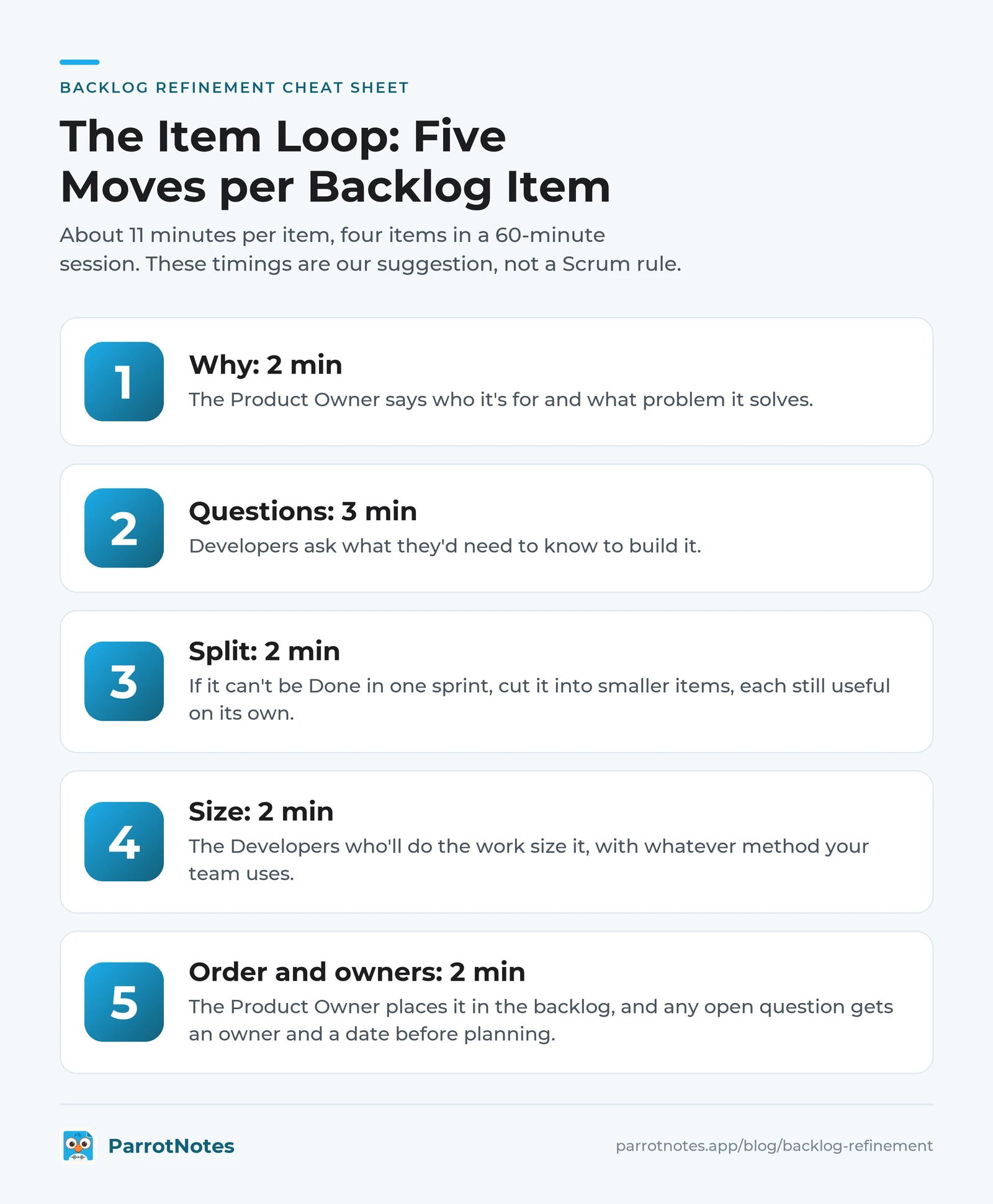
Take each item through the same five moves, and keep a visible clock:
- Why (2 min): the Product Owner says who it's for and what problem it solves.
- Questions (3 min): Developers ask what they'd need to know to build it.
- Split (2 min): if it can't be Done in one sprint, cut it into smaller items, each still useful on its own.
- Size (2 min): the Developers who'll do the work size it, with whatever method your team uses.
- Order and owners (2 min): the Product Owner places it in the backlog, and any open question gets an owner and a date before planning.
An item that hits 15 minutes stops there. Note what's missing, give it an owner, and move to the next one.
3. Check the top of the backlog
Count how many items now pass the ready check below. Many teams like about two sprints' worth, so planning never starts on a blank page. If you're short, the Product Owner picks what to bring next week.
4. Read back and close
Read the splits, sizes and open questions aloud, then send the record the same day.
How often, and how long?
The 2020 guide sets no number. The 2017 guide's "no more than 10% of the capacity" is gone, but it still makes a useful ceiling. Here's what it works out to per person, assuming eight-hour days:
| Sprint length | Working days | Old 10% ceiling per person | Our suggestion |
|---|---|---|---|
| 1 week | 5 | 4 hours | One 45-minute session |
| 2 weeks | 10 | 8 hours | One 60-minute session a week |
| 3 weeks | 15 | 12 hours | One 60-minute session a week |
| 4 weeks | 20 | 16 hours | One 60-minute session a week |
One hour a week, plus some reading beforehand, sits well under the old ceiling. ProdPad also suggests aiming "for an hour-long session." Seven people for an hour is seven person-hours a week, and our meeting cost calculator shows what that costs.
Don't hold it the day before sprint planning. Midweek leaves time to answer the open questions, and our meeting cadence guide helps you space it around your other recurring meetings.
Who attends backlog refinement, and who runs it?
The guide doesn't say who runs it. Scrum.org says "Self-managing teams determine how often refinement should happen, as well as who should attend each session." In practice it looks like this:
| Who | Job in the room |
|---|---|
| Product Owner | Brings the items, explains the why, orders the backlog. The guide makes them accountable for "Ordering Product Backlog items" |
| Developers | Ask questions, split items, and size them |
| Scrum Master | Often facilitates and keeps the clock, but isn't required |
| A specialist or stakeholder | Invited for one item, such as legal or support, and then free to leave |
You don't need every Developer every week. Two or three who'll likely build the items can refine, as long as the rest can see the outcome in the backlog.
The ready check: five questions per item
Many teams call this a "Definition of Ready." The guide doesn't have one, so treat these as a checklist, not a gate:
- Can we say who it's for and why, in one sentence?
- Could it be Done within one sprint? This is the guide's own test.
- Do the Developers who'll build it agree on a size?
- Do we know how we'll check it's done? One or two examples are enough.
- Is every open question answered, or owned with a date before planning?
An item that fails a question is simply not ready yet, and the record says what's missing.
Backlog refinement vs sprint planning
Refinement prepares items so they're understood. Sprint planning picks which ready items go into the sprint and why. One feeds the other.
| Backlog refinement | Sprint planning | |
|---|---|---|
| Is it a Scrum event? | No, "an ongoing activity" | Yes |
| When | During the sprint, as needed | At the start of the sprint |
| Question it answers | Is this item clear and small enough? | What will we do this sprint, and why? |
| Who | Product Owner and some Developers | The whole Scrum Team |
| What you get | Split, sized, ordered items | A Sprint Goal and a Sprint Backlog |
| Timebox | None | Up to eight hours for a one-month sprint |
The guide does allow some overlap: in sprint planning, "The Scrum Team may refine these items during this process." A few clarifying questions there are fine. Sizing a brand-new epic there is what blew up Lena's Monday.
When backlog refinement drifts
Keep these lines ready:
| What's happening | What to say |
|---|---|
| One item eats the hour | "We're at 15 minutes. Tomas, can you find out the answer by Friday? Next item." |
| A design debate starts | "Good question for the people building it. Let's note both options and size the smaller one." |
| Nobody's read the items | "Let's take five minutes to read item one now, and next week the list goes out on Monday." |
| Someone pushes for a date | "Refinement sizes it. Sprint planning decides when." |
| A side topic comes up | "It's real. It goes in the parking lot with an owner." |
This works outside software too. Picture a composite events team of five refining "Run the spring customer day." It can't fit in a two-week sprint, so they split it into book the venue, draft the agenda and send invitations. Two of the three pass the ready check in that same hour, and the venue question gets an owner and a Thursday deadline.
Backlog refinement template: the one-page record
The guide doesn't ask for minutes, but sprint planning needs these answers. Copy this into your team's doc.
BACKLOG REFINEMENT RECORD
Team:              Date:              Facilitator:
Product Owner:     Attending:

1. ITEMS REFINED
   Item | Split into | Size | Ready? (yes / not yet)

2. OPEN QUESTIONS
   Question | Owner | By when

3. ORDER CHANGES
   Item | New position | Why

4. TOP OF THE BACKLOG
   Ready items:       About how many sprints' worth:

5. NEXT SESSION
   Date:              Items to bring:
Here it is filled in for the composite team, the Wednesday after that long Monday:
BACKLOG REFINEMENT RECORD
Team: Checkout squad    Date: Nov 25    Facilitator: Lena
Product Owner: Ana      Attending: Tomas, Priya, Sam

1. ITEMS REFINED
   Apple Pay | Button on checkout; saved address in Apple Pay
             | M; M | yes; not yet
   Remove a saved card | not split | S | yes
   Card order at checkout | not split | S | not yet

2. OPEN QUESTIONS
   Does our payment provider need a new merchant setting
   for Apple Pay? | Tomas | Nov 27
   Does the January fee change affect card order? | Mei | Nov 27

3. ORDER CHANGES
   Remove a saved card | Up to 2 | Support tickets each week

4. TOP OF THE BACKLOG
   Ready items: 5      About how many sprints' worth: 1.5

5. NEXT SESSION
   Date: Dec 2         Items to bring: card order, receipts
Section 2 is what saves the next planning session. Move those questions into your action items tracking log so someone checks them before Monday.
Should you record backlog refinement?
Recording lets the facilitator watch the clock instead of typing, and absent Developers can hear why an item was split. Ask first, say what you'll keep and who'll see it, and stop if anyone objects. Consent rules vary by location, and our guide to one-party consent states covers the US basics.
ParrotNotes records on a phone or Mac in the room, with no meeting bot, and gives you a transcript, a summary and action items to paste into the record. As of November 2026, the free plan allows 30 minutes per recording and 100 minutes a month. Pro ($19.99 a month, or $14.99 a month billed annually) gives you 3,000 minutes a month and recordings up to 3 hours, enough for every session.
On the free plan, record the item loop for your two hardest items and the read-back. That's about 30 minutes, and it's where the decisions are. Download ParrotNotes and try it at your next session.
Make refinement the quiet hour before planning
Good backlog refinement makes sprint planning boring, in the best way. Remember that the guide treats it as an activity, not an event, so shape it to your team. Send the items two days ahead, run each one through the same five moves, stop any item at 15 minutes, use the ready check, and send one page the same day.
Lena's team moved refinement to Wednesday mornings. At Sprint 44 planning, Apple Pay arrived split, sized and with Tomas's answer attached. The team picked it in four minutes and finished planning with twenty minutes to spare.
Frequently Asked Questions
Is backlog refinement a Scrum event?
No. The 2020 Scrum Guide lists five events (the Sprint, Sprint Planning, Daily Scrum, Sprint Review and Sprint Retrospective) and describes Product Backlog refinement as "an ongoing activity." Scrum.org says it "is not a prescribed event in Scrum." Many teams still schedule a weekly session.
What is the difference between backlog refinement and backlog grooming?
They're the same practice. The Scrum Guide used "Product Backlog Grooming" in 2011, and its revision history says that from 2013 "The Product Backlog is refined rather than groomed." Refinement is the current term.
How long should backlog refinement take?
The 2020 Scrum Guide sets no limit. The 2017 version said refinement "usually consumes no more than 10% of the capacity of the Development Team," which is up to eight hours per person in a two-week sprint. One 60-minute session a week is a common pattern and stays well under that.
Who runs backlog refinement?
The Scrum Guide doesn't say. The Product Owner brings and orders the items, the Developers who'll do the work size them, and a Scrum Master often facilitates. Scrum.org says self-managing teams decide who attends each session.
What happens in a backlog refinement meeting?
The team takes the top items of the Product Backlog and adds detail: why each one matters, open questions, splits into smaller items, a size from the Developers and a place in the order. Items that could be Done within one sprint are then ready for sprint planning.
Related Posts

Best Talk to Text App for iPhone and Android
The best talk to text app for your phone: Apple Dictation and Siri on iPhone, Gboard and Gemini on Android, with free plans compared and a voice phrase sheet.

How to Use Speech to Text on iPhone
Turn on speech to text on iPhone in 3 steps, dictate in any app, switch languages, turn it off, and record when the mic stops. Checked on iOS 27, Nov 2026.
How to Record Calls on Samsung
Samsung call recording, step by step: record or auto record calls, find the files, get Galaxy AI transcripts, or turn it all off. Checked November 2026.