User Interview Platforms Compared: Panels, Recording and Transcripts
Sarah Johnson
Writes about field sales, meeting notes and voice-first workflows at ParrotNotes. Every article is reviewed by the ParrotNotes product team before it goes live.
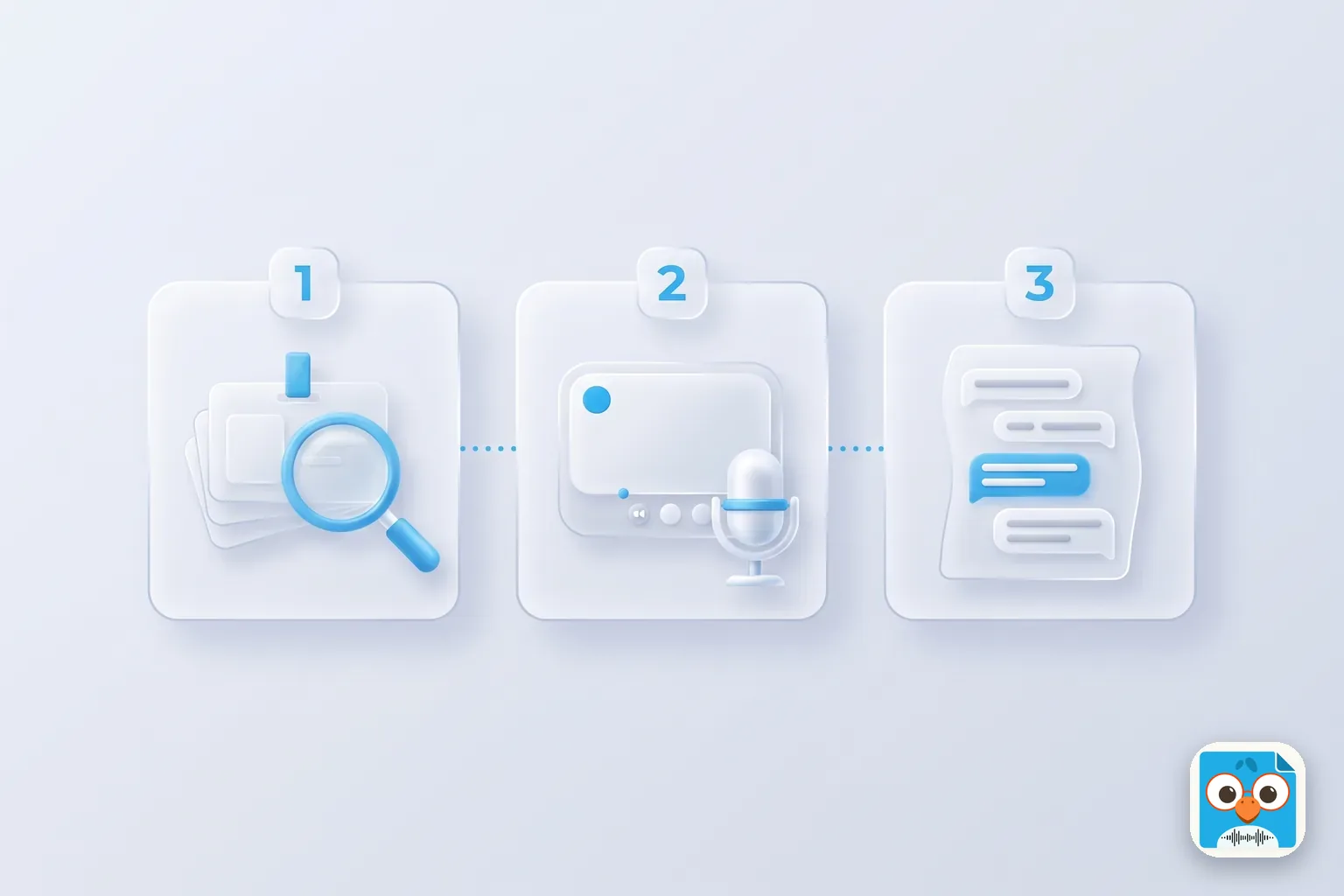
Table of Contents
- 1.User interview platforms at a glance
- 2.What user interview software does: four steps
- 3.Recruiting panels: User Interviews, Respondent and Prolific
- 4.User interview software for remote sessions: Lookback, Great Question, Maze and UserTesting
- 5.Where the recordings go afterwards: Dovetail
- 6.The user interview app for in-person sessions on iPhone and Android
- 7.What a 10-interview study costs: a worked example
- 8.How to choose a user interview platform
- 9.Consent before you record
- 10.One platform per step
Dana had ten interviews to run in two weeks. Seven were video calls with warehouse supervisors. Three were in person, on the floor of a distribution centre, where the people she needed couldn't leave their shift.
She signed up for a platform that promised "user interviews, end to end" and learned on day two that it found participants and did nothing else. (Dana is a composite, not a real person.)
That's the trap with user interview platforms. The name covers at least three different jobs, and most products do one of them well.
Here's the short answer. Some platforms find participants: User Interviews, Respondent, Prolific. Others run and record a remote session: Lookback, Great Question, Maze, UserTesting. One kind stores and analyses the recordings: Dovetail.
None of them is built for the interview across a table, where the recorder is the phone in your hand. That step belongs to a phone app, and ParrotNotes is free to download for it.
This comparison is built from each vendor's published pricing and help pages, read on November 23, 2026, and from public reports. It isn't hands-on testing: no product was trialled for it. Prices are as of November 2026.
One note on the name: "User Interviews" is also a company (userinterviews.com). It's covered below as one platform among nine.
User interview platforms at a glance
| Platform | The step it does | Published price (November 2026) | Free plan or trial |
|---|---|---|---|
| User Interviews | Finds participants | $49 per session (consumers), $98 (professionals), plus incentives | Free to sign up; no free plan stated |
| Respondent | Finds participants | $40 per moderated session (consumers), $80 (professionals), plus incentives | None stated; no charge for no-shows |
| Prolific | Finds participants for online studies | Platform fee, usually 42.8% of participant pay for companies | No subscription; pay per study |
| Lookback | Runs and records remote sessions | From $299 a year for 10 sessions | 60 days, up to 5 sessions |
| Great Question | Recruits your own customers, schedules, records, stores | $129 per seat per month | 14 days, no card |
| Maze | Testing and surveys; interviews on Enterprise | Free, or custom Enterprise price | Free plan: 1 study a month |
| UserTesting | Enterprise testing and live interviews with its own panel | Not published | None stated |
| Dovetail | Stores and analyses recordings | $4,800 a year (Bronze, "Coming soon"); other plans by quote | 30-day trial on Gold |
| ParrotNotes | Records and transcribes in-person interviews on a phone | Free, or Pro at $19.99 a month | Free plan: 100 minutes a month |
Every price above excludes what you pay participants. That's usually the larger cost, as the worked example further down shows.
What user interview software does: four steps
A study moves through four steps, and user interview software is sold by the step.
- Find participants. A panel is a pool of people who have agreed to take part in research for pay. You write a screener, the panel matches people to it, and you pay a fee per person on top of the incentive.
- Run and record the session. A session room, or a plug-in for the video call you already use, records the conversation and lets colleagues watch without being seen.
- Transcribe and analyse. The recording becomes text. You tag quotes, group them into themes and cut clips for the readout.
- Record in person. When the interview happens at a desk, on a shop floor or in a café, there's no session link. The recorder is a phone.
Why do the vendors skip step four? Because their customers mostly work remotely. In User Interviews' own State of User Research 2023 survey (929 responses, May 2023), 87% of respondents said they conduct a majority of their research remotely. The platforms followed that majority.
If you're still planning the sessions themselves, our user research interview guide has the questions and a note sheet, and the free interview guide template builds a printable guide.
Recruiting panels: User Interviews, Respondent and Prolific
Recruiting is the step most researchers can't do alone, so these are the user interview platforms most budgets go to first.
User Interviews
User Interviews is the best-known recruiting panel, and the reason this search phrase doubles as a brand name. Its pricing page lists a network of 7.5 million participants from 34 countries.
Price, as of November 2026: Recruit Pay As You Go costs $49 per session for consumer studies and $98 for professional (B2B) studies. A session is one completed interview with one participant. Annual Essential plans lower that to $41 and $82 at 60 sessions a year. Incentives are extra, and a 3% processing fee is added to the incentive amount when User Interviews pays participants for you. Research Hub, its product for managing your own customer panel, shows no public price.
Worth knowing: UserTesting announced on January 7, 2026 that it had acquired User Interviews. Terms weren't disclosed. The User Interviews site and pricing page are still live under its own name, and its support articles now open on UserTesting's help centre.
What it doesn't do: it doesn't record your interview. You run the session in your own call software or a tool such as Lookback, which integrates with it.
Respondent
Respondent is the closest alternative, with a stronger pitch for hard-to-find professionals. Its pricing page claims 4.3 million participants across more than 150 countries.
Price, as of November 2026: pay as you go, a moderated session costs $40 for consumers and $80 for professionals, per completed session. Unmoderated sessions are $25 and $40. Annual commitments start at $7,500 a year and take 10% off. Incentives are extra. The page says you aren't charged for drop-outs, failed screeners or no-shows.
Worth knowing: the page says every plan includes an AI moderator, screener tools, recordings and automated synthesis. No free plan is described.
Prolific
Prolific grew out of academic research and is priced differently: no per-session fee, but a platform fee on what you pay participants. Its pricing page puts that fee at "usually 42.8%" for corporate customers and 33.3% for academic and non-profit ones. Minimum participant pay is $8.00 an hour, and Prolific recommends $12.00. It lists more than 300,000 active participants.
The limit for interviewers: the pricing page describes studies you connect by a link, such as surveys and unmoderated tasks. It doesn't describe scheduling live, moderated interviews. Confirm that with Prolific before you plan one-on-one sessions around it.
User interview software for remote sessions: Lookback, Great Question, Maze and UserTesting
Once you have participants, you need a room to meet them in and a record of what they said. These four user interview platforms sell that.
Lookback
Lookback is the specialist for moderated sessions. Its site describes live, human-led interviews where observers join unseen, notes are timestamped, and transcripts and AI summaries follow. Its help centre also documents in-person sessions that record a participant's phone screen through its Participate app.
Price, as of November 2026: billing is annual only, per the Lookback pricing page. Freelance is $299 a year with 10 sessions. Team is $1,782 a year with 100 sessions. Insights Hub is $4,122 a year with 300. Extra sessions on Freelance cost $299 per pack of 10.
Free trial: 60 days and up to 5 sessions, with exports switched off.
What it doesn't do: it has no panel of its own. Recruiting runs through a User Interviews integration or your own contacts.
Great Question
Great Question tries to cover the whole study for teams that interview their own customers. You load your customer list, send screeners, schedule, pay incentives and record interviews held on Zoom, Google Meet or Microsoft Teams. Recordings land in a built-in repository.
Price, as of November 2026: Self-serve is $129 per seat per month, or $1,290 a year, with a maximum of 5 seats, per the Great Question pricing page. Enterprise is by quote. Recruiting your own customers carries no per-participant fee. Outside participants come through Respondent, charged per person.
Free trial: 14 days, no card, with up to 20 hours of transcription a month during the trial. There's no free plan. AI moderation is an Enterprise add-on.
Maze
Maze is best known for prototype tests and surveys. Interviews exist, but check the plan. The Maze pricing page shows two plans as of November 2026: Free, with 1 study a month and 5 seats, and Enterprise at a custom price. Moderated interview studies, interview scheduling and interview transcription are listed under Enterprise only. So the free plan won't run your interviews.
UserTesting
UserTesting is the enterprise option: its own participant panel across more than 60 countries, moderated "Live Conversation" sessions, and transcripts. Its plans page names three plans, Advanced, Ultimate and Ultimate+, and publishes no price for any of them. Each has a "Request pricing" button. If you pay for your own tools, that usually ends the conversation.
Where the recordings go afterwards: Dovetail
A research repository is where you tag quotes, group them and find them again next quarter.
Dovetail is the best-known one. Its pricing page says it analyses calls, recordings, documents and surveys, and transcribes "in any language" with speakers matched to names.
Price, as of November 2026: the page lists three plans and no free one. Bronze is $4,800 a year for up to 5 users and is labelled "Coming soon". Silver and Gold say "Talk to sales". Usage is metered in credits at 15 cents each, and Gold includes a 30-day free trial.
That's a team price. A solo researcher with ten transcripts can do the same work in a spreadsheet: one row per quote, one column per theme. Our guide to qualitative interview transcription shows a coding-ready transcript format, and focus group transcription covers sessions with several voices. If the transcript itself is the bottleneck, our comparison of transcription software for qualitative research covers ten options.
Have an in-person interview this week? Get ParrotNotes free and record it on your phone while you compare the bigger tools.
The user interview app for in-person sessions on iPhone and Android
Go back to Dana's three interviews on the warehouse floor. There's no call to join, so nothing above records them. She needs a user interview app on the phone she already carries.
ParrotNotes is built for that step. It records on an iPhone or Android phone, keeps recording with the screen locked, and returns a transcript and an AI summary when you stop. Notes sync to the Mac app for the write-up.
What the plans include, as of November 2026:
- Free: 100 minutes of recording a month, up to 30 minutes per recording. An AI summary on every recording, AI insights on 5 recordings a month, 3 audio or video imports a month, and export as text or markdown. Audio files are kept for 30 days; transcripts stay.
- Pro: $19.99 a month, or $14.99 a month billed annually. 3,000 minutes a month and up to 3 hours per recording. Adds speaker identification (the AI infers who is speaking from name cues in the conversation), transcription in 99+ languages, unlimited AI insights, and export to docx or pdf.
Recording works without a signal. Transcription needs a connection, so the transcript arrives once the phone is back online.
What ParrotNotes doesn't do. It isn't a recruiting panel: it won't find you a single participant. It doesn't schedule sessions, pay incentives, record a participant's screen or let observers watch live. It isn't a research repository with tagging and highlight reels either. For those steps, use the platforms above.
A 45-minute interview runs past the Free plan's 30-minute limit, which makes Free a way to test it on a screener chat or a pilot, and Pro the plan for real sessions. If you want to weigh it against other recorders, our best interview recording app comparison covers the alternatives, and how to record an interview on your phone covers placement and a sound check.
What a 10-interview study costs: a worked example
Vendor roundups list prices per plan. A researcher needs the price of one study. Here it is for ten moderated, 45-minute interviews with professionals, at the list prices above.
One assumption is mine, not a vendor's: a $100 incentive per participant. Change it to your own figure.
| Cost line | User Interviews (Pay As You Go) | Respondent (pay as you go) |
|---|---|---|
| Recruiting fee, 10 professionals | 10 x $98 = $980 | 10 x $80 = $800 |
| Incentives at $100 each | $1,000 | $1,000 |
| Incentive processing | 3% of $1,000 = $30 | Not stated on the pricing page |
| Recruiting total | $2,010 | $1,800 |
With consumers instead of professionals, the recruiting fee falls to $490 on User Interviews and $400 on Respondent. The incentive line stays.
Then add the recording step:
- Call software you already have: $0 extra. You get a video file and whatever transcript your call tool makes.
- Lookback Freelance: $299 for the year, which includes exactly 10 sessions.
- Great Question Self-serve: $129 for one seat for one month.
- In person, on a phone: ParrotNotes Pro at $19.99 for the month. Ten 45-minute interviews are 450 minutes, well inside the 3,000-minute allowance.
Incentives and recruiting fees are the bulk of the bill, so the choice of recording tool barely moves the total. Recruit from your own customer list and the recruiting fee disappears. These are list prices on one day: treat the table as arithmetic, not a quote, and re-check each page before you budget.
How to choose a user interview platform
Match the tool to the step you can't do yourself.
- You have no participants. Start with a panel. User Interviews and Respondent both sell single sessions with no subscription, so a small study doesn't need a contract.
- You have customers to talk to, and the sessions are remote. You don't need a panel. A session tool such as Lookback, or Great Question if you want scheduling and incentives in the same place, covers it.
- Your interviews are in person. No platform here records them. Use a phone app, ask for consent on the record and keep a second recorder running as a backup.
- You're drowning in transcripts. That's a repository problem. Price Dovetail against a spreadsheet before you commit to a year.
- You pay from your own pocket. Skip anything that says "Talk to sales" or "Request pricing". That rules out UserTesting, Maze's interview features and most of Dovetail for now.
Tomás, a freelance researcher (another composite), had six customer interviews for a client and no tool budget. The client supplied the customer list.
He ran four sessions on the client's video calls and two at the customers' offices with his phone on the table. He didn't buy a platform at all. His whole tool cost was one month of a recording app.
Aiko (a composite too) needed twelve procurement managers and knew none. A panel was the only step she paid for, and she ran the calls in software her company already had. Both bought one step, which was the right amount.
Consent before you record
Every tool above records people, so every study needs a clear yes first. Tell the participant you'd like to record, why, who will hear it and how long you'll keep it.
Then ask again once the recording has started, so the answer is on it.
Recording law depends on where you and the participant are. In the United States, the federal Wiretap Act (18 U.S.C. 2511) allows a person to record a conversation they are part of, and most states follow that one-party rule, while some require everyone's consent. Our guide to one-party consent states lists them state by state. Many countries add data-protection rules on top.
This is general information, not legal advice. For a written record, our interview consent form has a template. Never record a participant who hasn't agreed.
One platform per step
User interview platforms aren't interchangeable, because they don't do the same job. Keep four points from this comparison:
- Panels (User Interviews, Respondent, Prolific) find people and charge per session or per payment.
- Session tools (Lookback, Great Question, Maze, UserTesting) run and record remote interviews.
- Repositories (Dovetail) hold the transcripts afterwards, at team prices.
- In-person interviews need a recorder on your phone, and none of the platforms supplies one.
Work out which step is blocking your study and buy only that one. If it's the interview across a table, download ParrotNotes free, record your pilot session and read the transcript before the next one.
Frequently Asked Questions
What is the best user interview platform?
It depends on the step. To find participants, User Interviews and Respondent sell single sessions without a subscription ($49 to $98 and $40 to $80 per session, as of November 2026, plus incentives). To run and record remote sessions, Lookback starts at $299 a year. For in-person interviews, use a recording app on your phone, such as ParrotNotes.
Is User Interviews the same as UserTesting?
No, but they now share an owner. UserTesting announced on January 7, 2026 that it had acquired User Interviews, a participant recruiting platform. As of November 2026, User Interviews still has its own website and pricing page, and its support articles open on UserTesting's help centre.
How much do user interview platforms cost?
Recruiting panels charge per completed session: $49 to $98 on User Interviews and $40 to $80 on Respondent, plus each participant's incentive. Session tools charge by subscription, from $299 a year (Lookback) to $129 per seat per month (Great Question). UserTesting publishes no prices. Figures are from vendor pricing pages in November 2026.
Is there a free user interview tool?
Partly. Lookback has a 60-day trial with up to 5 sessions and Great Question a 14-day trial. Maze has a free plan, but moderated interviews are on its Enterprise plan. For in-person interviews, the ParrotNotes Free plan includes 100 minutes of recording a month, up to 30 minutes per recording, with an AI summary on each one.
Where can I read reviews of User Interviews?
Public review sites such as G2 and Capterra list user reviews of User Interviews, and they're the place to read first-hand reports. This article isn't a hands-on review: it's built from each vendor's published pricing and help pages, read in November 2026.
Can I record an in-person user interview on my phone?
Yes, with the participant's consent. Place the phone between you and check the timer is running. ParrotNotes records on iPhone and Android with the screen locked and returns a transcript and a summary. Keep a second recorder running for any interview you can't repeat.
Related Posts
Transcription Software for Qualitative Research: Options Compared
Qualitative research transcription software compared: NVivo, ATLAS.ti, MAXQDA, Otter, Rev, Sonix, offline apps and a phone app. Prices checked November 2026.
Toolbox Talk: How to Run One in Ten Minutes and Keep a Signed Record
Run a toolbox talk in ten minutes: a minute-by-minute format, a sign-in sheet to copy, and what OSHA and state rules say about keeping the signed record.
Staff Meeting Minutes: Sample, Template and What to Leave Out
Copy a staff meeting minutes sample from a hotel staff meeting, a one-page template and a list of what to leave out, then draft yours from a recording.