
How to Record Calls With Google Voice on iPhone and Android

Sarah Johnson
Writes about field sales, meeting notes and voice-first workflows at ParrotNotes. Every article is reviewed by the ParrotNotes product team before it goes live.
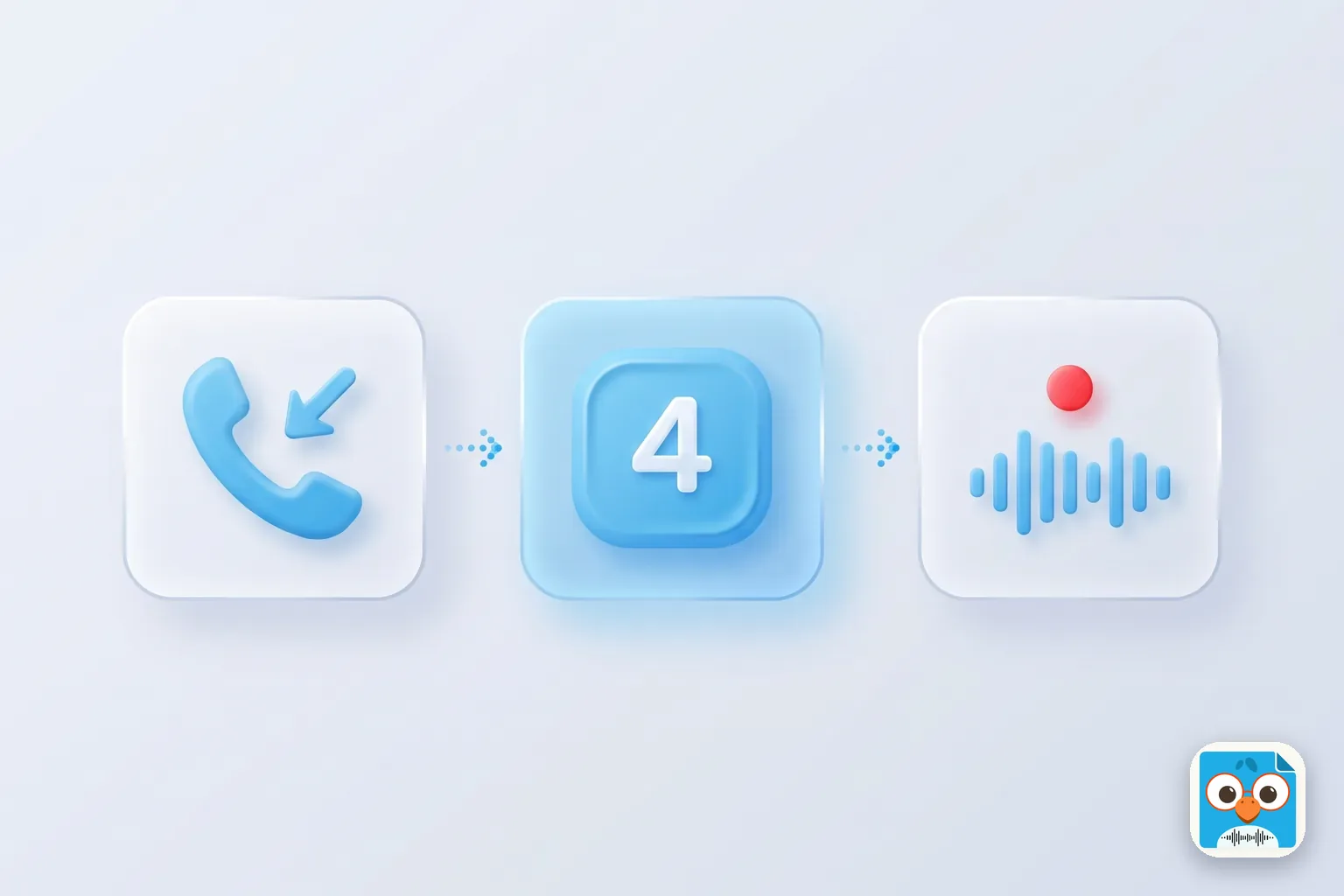
Table of Contents
- 1.Which Google Voice accounts can record calls
- 2.How to record calls with Google Voice on iPhone
- 3.How to record calls with Google Voice on Android
- 4.Google Voice call recording on a work or paid account
- 5.Where Google Voice recordings are saved
- 6.Why Google Voice won't record your call
- 7.Is Google Voice available in your country?
- 8.The announcement, and asking before you record
- 9.Turn a Google Voice recording into notes
- 10.Conclusion
Can Google Voice record calls? Yes, with limits. On a free personal account, turn on the incoming call setting in the Voice app, answer a call to your Google Voice number, and tap 4 on the dialpad. Tap 4 again to stop. Everyone on the call hears an announcement both times.
It works the same way on iPhone and Android. The catch: a free account records incoming calls only, and Google offers free accounts in the US only.
Dana is a freelance bookkeeper in Phoenix. She gives clients her Google Voice number so her personal one stays private. On a Tuesday at 4:15 PM a client calls with three invoice corrections, two new vendor names and a filing deadline. Dana is in a parking lot with no pen. (Dana is an illustration, not a real customer.)
This guide shows how to record calls with Google Voice on each phone, what each account type can record, where the files go, and why the feature sometimes isn't there. Every step and limit comes from Google's own help pages, read on November 12, 2026. We didn't test these steps on a phone; where Google's pages are unclear, we say so.
Which Google Voice accounts can record calls
Google's Record calls help page opens with a warning: the feature "operates differently based on the type of account you have."
Here's what each one gets, as of November 2026. Prices and plan names are from Google's subscription types page.
| Account | Price | What you can record | How | Where it's offered |
|---|---|---|---|---|
| Free personal Google Voice | $0 | Incoming calls only | Tap 4 on the dialpad | US only |
| Voice Starter or Standard, single user | $10 or $20 a month | Google lists "call recording" for both | Google's Record calls page doesn't give separate steps | US only |
| Voice Starter or Standard, Workspace add-on | $10 or $20 per user a month | Any call, when you choose | Tap Record, then Stop recording | 14 countries |
| Voice Premier, Workspace add-on | $30 per user a month | Any call, plus automatic recording set by the admin | Record, or nothing at all if it's automatic | 14 countries |
Two things on Google's pages don't line up, and you should know about both.
First, the subscription table marks "Call recording" as not included in the free plan. Yet the Record calls page still gives full steps for personal accounts, using key 4. Our reading: the table means the Record button, and key 4 is the older method that free accounts keep.
Second, the paid single-user plans sit on a personal Gmail account. Google lists recording for them, but its steps only cover "managed Google Workspace accounts" and "personal Google accounts." We couldn't confirm from Google's pages which method those plans use.
Not sure which account you have? On a computer, open voice.google.com and click Settings. Under Account, "This account is managed by your Google Workspace administrator" means a work account. "Manage my account" means a paid single-user plan. Neither message usually means a free personal account.
How to record calls with Google Voice on iPhone
These steps are for a free personal account, from the iPhone and iPad tab of Google's help page.
Set it up once:
- Open the Voice app on your iPhone.
- At the top left, tap Menu, then Settings.
- Under Calls, turn on Incoming call options.
Then, on a call:
- Answer a call to your Google Voice number.
- Wait until everyone is on the line. Google notes that all participants must be on the call before you can start.
- Tap 4 on the dialpad. Everyone hears an announcement that recording has begun.
- Tap 4 again to stop. Everyone hears that recording has ended. Hanging up also ends it.
If you'd like to record calls on your iPhone's regular number instead, see our guide to recording phone calls on iPhone.
One aside before Android. If the conversations you most need to remember happen face to face, ParrotNotes records in-person conversations and meetings on your phone and writes the summary for you. It doesn't record phone calls; more on that below.
How to record calls with Google Voice on Android
On Android the call steps are identical. Only the name of the setting changes on Google's page:
- Open the Voice app on your Android phone.
- At the top left, tap Menu, then Settings.
- Under Calls, turn on Incoming call recording.
Then answer a call to your Google Voice number, wait for everyone to join, and tap 4 to start and 4 to stop. Everyone hears the announcement both times.
One note on that label. Google's Android tab calls the switch Incoming call recording. Its iPhone and computer tabs call it Incoming call options. If your app shows the other name, it's the same switch under Calls.
On a computer, the path is voice.google.com, then Settings, then Calls, then Incoming call options.
Google Voice isn't the only way to record on Android. A Pixel has its own recorder in the Phone app; see Google Pixel call recording. For other phones, see how to record a phone call on Android, and for a downloaded recorder app, our Cube ACR review.
Google Voice call recording on a work or paid account
A Google Workspace account from your job works differently. Google says you "need to have the appropriate Google Voice license to record phone calls."
On-demand recording. During a call, tap Record. Voice plays an announcement to everyone. Tap Stop recording to end it, and Voice announces that too. Unlike key 4, this isn't limited to incoming calls. Google's admin page says on-demand recording is on by default, though an admin can turn it off.
Automatic recording. This one is Voice Premier only. The admin picks inbound calls, outbound calls or all calls, and Voice announces the recording when the call starts. You don't tap anything.
Google's business recording page adds a few details:
- If you mute the call, recording continues.
- If you put the call on hold, recording pauses, then resumes.
- You can't record a call that's already being recorded automatically.
Google also lists a "take notes for me" feature for Voice Standard and the Workspace add-ons. A free account gets audio only.
Luis manages 40 rental units in Chicago, and his company runs Voice Standard. A tenant calls about a leak, a lockout and a rent date. Luis asks first, taps Record, and the call lands in his history with a microphone icon. (Luis is an illustration.)
Where Google Voice recordings are saved
For a personal account, Google's answer is one line: "You can find your recordings in the Calls tab." To keep a copy, open the menu on that call record and download it. Google describes this as downloading to your computer.
On a work account:
- You play and download recordings from your call history. Recorded calls show a microphone icon.
- Your admin can reach recordings through Google Vault and sets how long they're kept.
- Deleting the call from your log deletes your copy. Google notes the organization may still keep the recording under its own retention rules.
So treat a recorded work call as a company record, not a private one.
Why Google Voice won't record your call
Work down this list:
- It's an outgoing call. A free personal account records incoming calls only. Google describes no way to record a call you placed.
- The setting is off. Check Settings > Calls in the Voice app.
- The call didn't come in on your Google Voice number. Google's steps start with a call to that number.
- Not everyone has joined. Recording can't start until all participants are on the call.
- You're on a work account without the right license, or your admin turned on-demand recording off.
- The call is already being recorded automatically.
Need to record a call you place on a free account? Ask the other person to call you back on your Google Voice number. Or put the call on speaker and record it on a second device, with everyone's agreement.
Is Google Voice available in your country?
Mostly, this is a US product. Google's subscription page says the free plan and the two single-user paid plans "are only available in the US."
The Workspace add-ons reach further. Google's supported countries page lists 14 countries where Google itself provides numbers and calling: Belgium, Canada, Denmark, France, Germany, Ireland, Italy, the Netherlands, Portugal, Spain, Sweden, Switzerland, the UK and the US.
So in Germany or Spain, a company with Google Workspace can buy Google Voice, but there's no personal plan and no free key 4 recording.
In another 20 countries, including Mexico, Argentina, Chile, Colombia, Peru and Brazil, Google sells no calling plan of its own. A company there can only use Voice through a local carrier or its own phone equipment. That's a business phone project, not an app download.
The announcement, and asking before you record
You can't record a Google Voice call silently. Personal or work, on-demand or automatic, Google says all participants hear an announcement. Google's page describes no way to turn it off. Never record someone secretly.
Whether the announcement is enough under the law is a separate question. This article is general information, not legal advice. Google's own page warns that "recording calls without the consent of all call participants may not be legal in some jurisdictions."
In the US, the federal rule (18 U.S.C. 2511) lets you record a call you're part of, but some states require everyone on the call to agree. Our guide to one-party consent states lists each state's rule. Outside the US, check your country's law and your employer's policy.
The simple habit: ask out loud before you press 4. Something like this:
"I'd like to record this so I get your details right. You'll hear a short message when it starts. Is that OK with you?"
Wait for the yes, then press 4. If the answer is no, take notes by hand instead.
Turn a Google Voice recording into notes
A free Google Voice account leaves you with an audio file, and you still have to listen back to find the details.
That's where ParrotNotes can help, with one thing said plainly: ParrotNotes doesn't record phone calls. Google Voice does that part. ParrotNotes records in-person conversations and long meetings on your iPhone or Android phone, and it can import an audio file you already have.
So the routine is: download the recording from the Calls tab, then import the file into ParrotNotes. You get a transcript, a summary, key points and action items. Our guide on how to transcribe a phone call covers the other routes.
As of November 2026, the free plan includes 100 minutes of recording a month, three audio imports a month, and an AI summary on every recording. Pro is $19.99 a month, or $14.99 a month billed annually, with 3,000 minutes a month. Transcription needs an internet connection.
Only need the text of one short call? The free audio to text tool transcribes a file up to 10 minutes long.
Back to Dana in Phoenix. The next time her client calls, she asks to record, hears the yes, and presses 4. That evening she downloads the file and imports it into ParrotNotes. The three corrections, both vendor names and the deadline come back as action items.
Conclusion
Recording calls with Google Voice, in short:
- Free personal account: turn on the incoming call setting under Settings > Calls, then tap 4 during an incoming call. Outgoing calls can't be recorded.
- Work account: tap Record if your license and admin allow it. Premier can record automatically.
- Recordings sit in the Calls tab or your call history. Download the ones you need.
- Everyone hears an announcement. Ask first anyway.
- Outside the US, only business accounts get Google Voice, in a short list of countries.
Once you have the recording, download ParrotNotes free to turn it into a summary and action items, and to record the conversations that happen in person.
Frequently Asked Questions
Can Google Voice record calls?
Yes. A free personal account can record incoming calls: turn on the incoming call setting under Settings > Calls, then tap 4 during the call. Paid Google Workspace accounts get a Record button, and Voice Premier can record automatically.
Can you record outgoing calls on Google Voice?
Not on a free personal account. Google's help page only describes recording an incoming call with key 4. Workspace accounts with the right Voice license can tap Record during a call, and a Premier admin can set outbound calls to record automatically.
Does Google Voice tell the other person the call is being recorded?
Yes. Google says all participants hear an announcement when recording starts and again when it stops. Google's page describes no way to turn it off. Ask before you record anyway. This is general information, not legal advice.
Where are Google Voice recordings saved?
In the Calls tab of Google Voice. Open the menu on the call record to download it. On a work account, recordings appear in your call history with a microphone icon, and your admin can reach them through Google Vault.
Why can't I record a call on Google Voice?
The usual reasons: it's an outgoing call on a free account, the setting under Settings > Calls is off, the call didn't come in on your Google Voice number, or not everyone has joined yet. On a work account, your license or admin may not allow it.
Related Posts
Best Voice Memos Apps for Android
Android has no app called Voice Memos. Compare the best voice memos app for Android by phone: Pixel, Samsung and free Play Store picks. Checked Nov 2026.
Temi Transcription Review: Pricing, Accuracy Claims and the Phone App
Temi transcription reviewed from Temi's own pages, as of November 2026: $0.25 a minute, accuracy claims, the Rev link and the phone app. Try ParrotNotes free.
Riverside Transcription Review: What the Free Tool and Paid Plans Include
Riverside transcription reviewed from Riverside's own pages, as of November 2026: free tool limits, languages, export formats and plans. Try ParrotNotes free.